
Can Dux-Soup export LinkedIn conversation history?
You can export LinkedIn conversation history in the Dux-Dash Prospects page with Dux-Soup Turbo or Cloud.
Dux-Soup can export LinkedIn conversation history for prospects created through manual visits, drip campaign actions, and auto-visits.
Conversation export is activated after the first profile is enrolled in any Dux-Soup drip campaign.
From that moment onward, Dux-Soup periodically checks the LinkedIn Inbox and adds conversation history to existing prospects
Installing Dux-Soup alone is not sufficient, and conversations that occurred before the first profile enrollment cannot be exported.
To export LinkedIn conversations:
- Open the Prospects page in Dux-Dash.
- Apply the available filters, such as campaign name, profile degree, or last viewed date.
- Click Export to CSV.
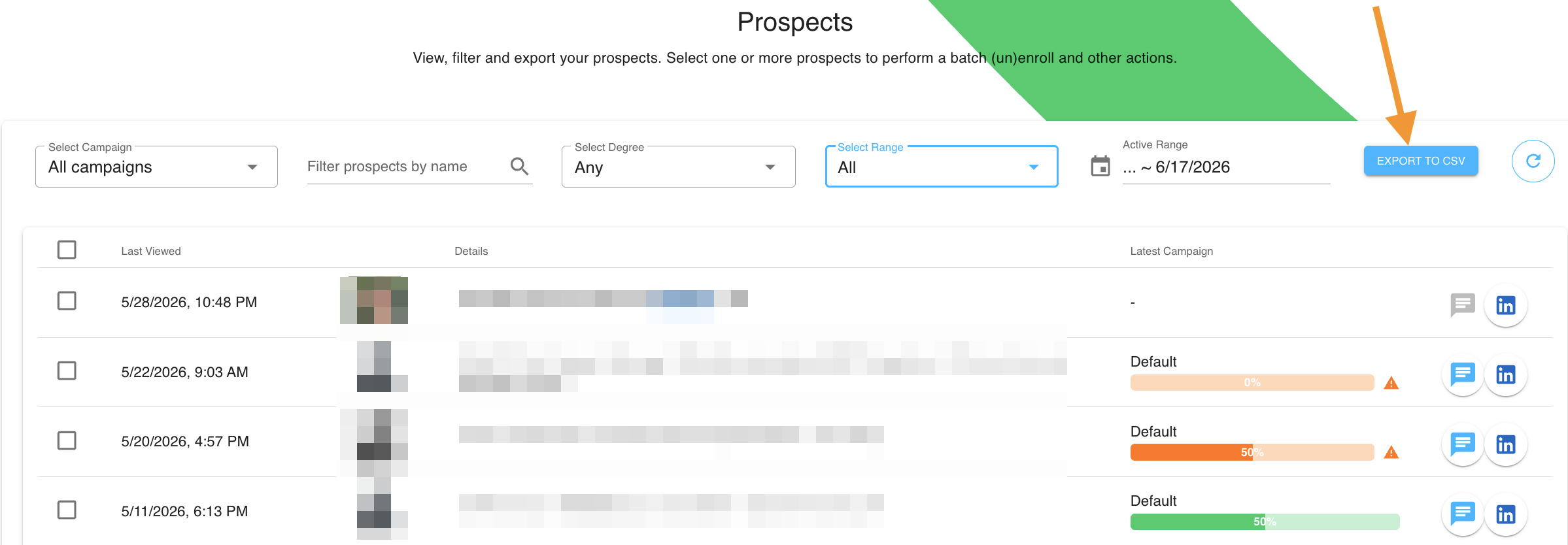
LinkedIn conversation history for selected profiles will appear in the downloaded CSV file along with other prospect data.
