
Why Chrome shows 'Fix the tab slowing your browser' or reloads pages
The symptom
While Dux-Soup is running a campaign, you may see one of these Chrome pop-ups:
- 'Fix the tab slowing your browser' with a 'Fix this tab' button
- 'Reload the site? Changes you made may be lost'
- LinkedIn tabs reloading on their own, or several tabs opening at once.
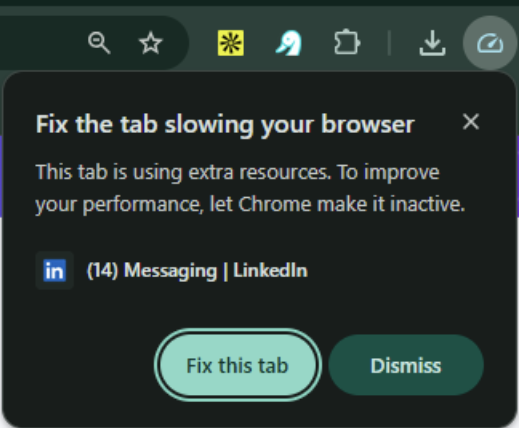
This can look like Dux-Soup is misbehaving, but it's actually Chrome's own performance-management feature reacting to the automation.
Why this happens
Dux-Soup works by opening and visiting LinkedIn pages in your browser to carry out actions from your campaign (visiting profiles, sending connection requests or messages, scraping data, etc.). Because this involves multiple tabs and frequent page activity, Chrome's built-in Performance issue alerts feature can flag one of those tabs as "slowing down your browser" and offer to deactivate (discard) it. When Dux-Soup then tries to use that tab again, Chrome reloads it - which produces the "Reload the site?" prompt and can interrupt an in-progress action.
This setting is on by default in Chrome, so most users have never noticed it until running an automation tool like Dux-Soup that keeps several tabs active at once.
How to fix it
You can turn this alert off so Chrome stops deactivating and reloading tabs mid-campaign:
- Open Chrome.
- Click the three-dot menu (top right) → Settings.
- In the left-hand menu, select Performance.
- Under General, turn Performance issue alerts off.

Once this is off, Chrome will no longer suggest deactivating tabs for performance reasons, which stops both the "Fix the tab" prompt and the resulting reload dialogs.
Summary
This isn't a Dux-Soup bug - it's Chrome proactively managing tabs it thinks are underused, which conflicts with how automation tools keep tabs open and active.