
Automatically disconnect 1st-degree connections with Dux-Soup
The automated disconnect option is available in the Expert UI for Pro and Turbo users within the Dux-Soup extension.
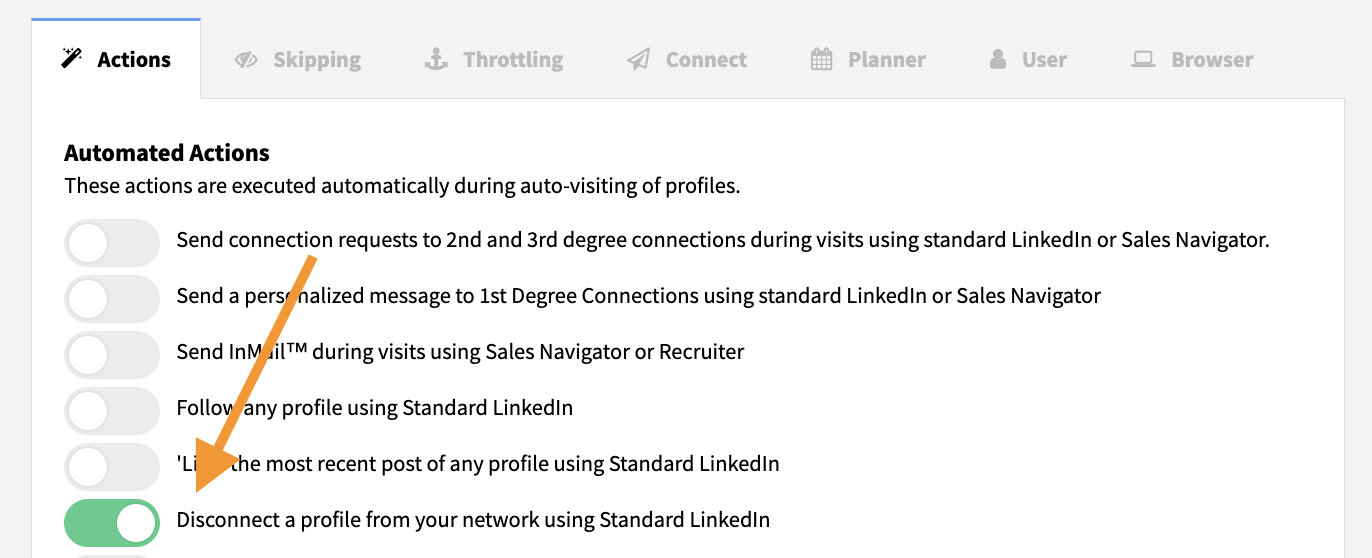
To set Dux-Soup to disconnect 1st-degree connections, click the Dux-Soup extension icon in your browser, go to Options → Actions tab,

and enable Disconnect a profile from your network using Standard LinkedIn.
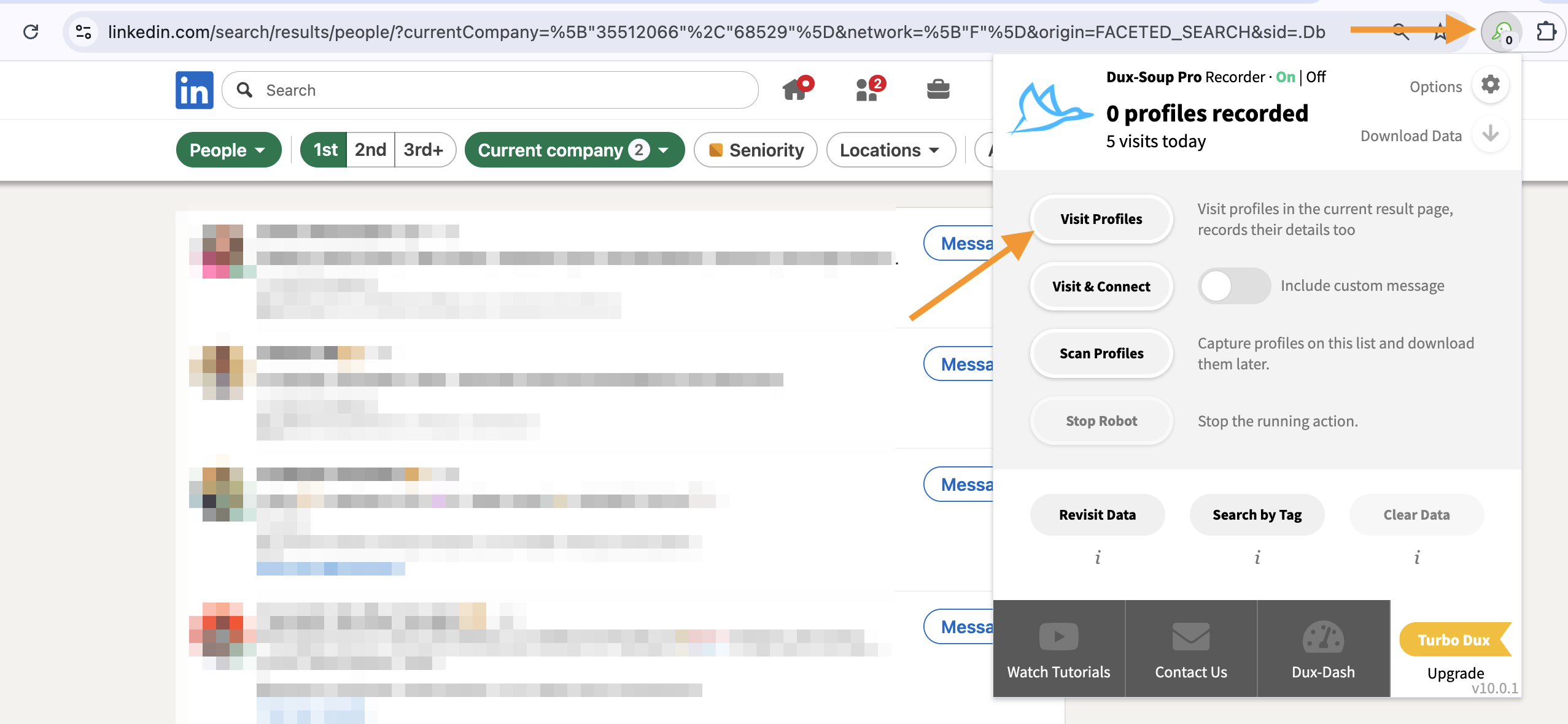
Next, perform a search on LinkedIn filtered to 1st-degree connections, and apply additional filters so that only the profiles you want to remove remain.
Once ready, click the Dux-Soup extension icon in the top-right corner of your browser and start the automation by clicking Visit Profiles.
Dux-Soup will open each profile and disconnect from it, following your configured Skipping, Planner, and Throttling settings.