
Connect Dux-Soup to your AI assistant via MCP
The Model Context Protocol (MCP) is available for users with a Dux-Soup Turbo or Cloud subscription.
You may connect Dux-Soup to your AI chat using Dux-Soup MCP.
How to connect in Claude
- In Claude, go to Settings → Connectors
- Click the "+" button next to Connectors, then choose Add custom connector
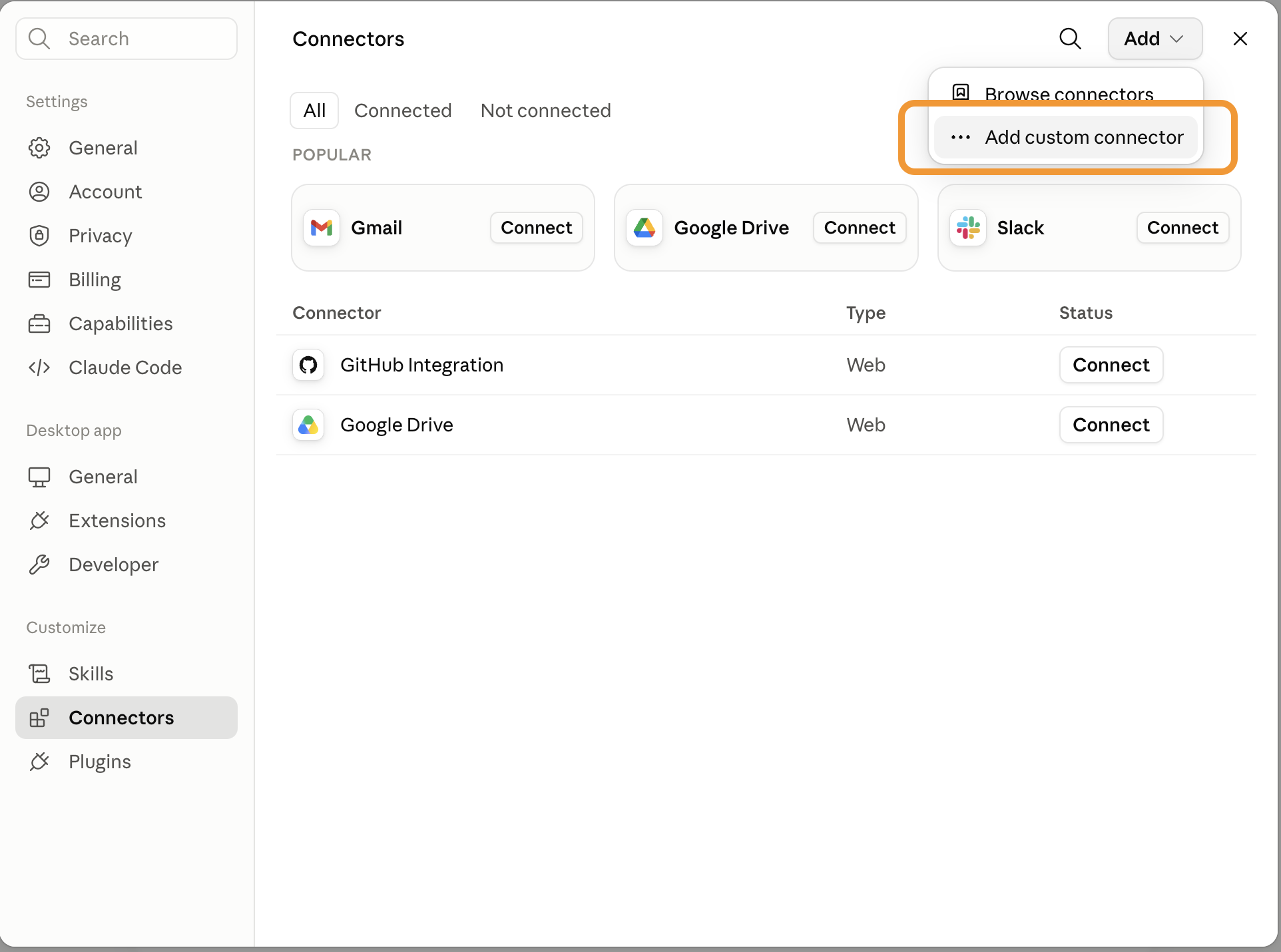
- Give it a name (e.g., "Dux-Soup") and paste in the server URL:
https://app.dux-soup.com/mcp
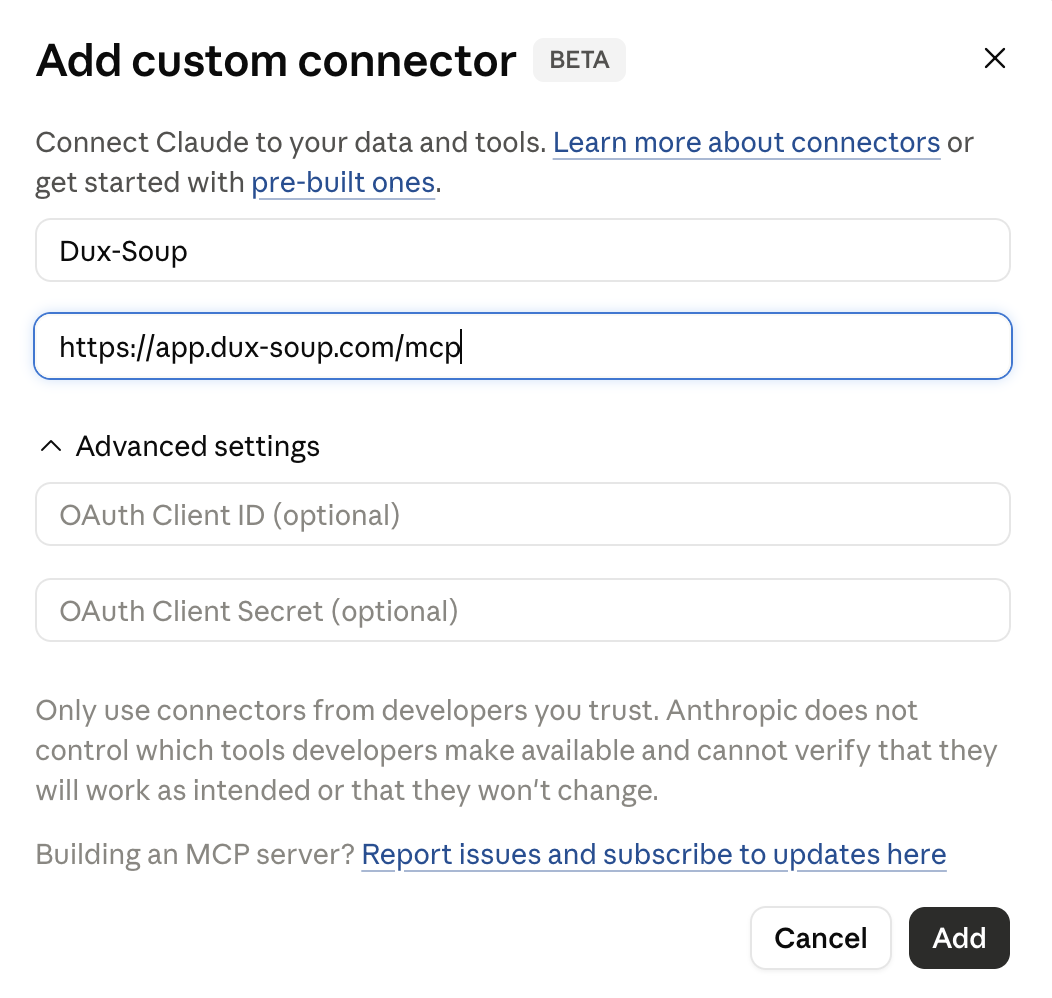
- Click Add, then click to connect it - you'll be sent to a Google sign-in screen
- Sign in with the Google account linked to your Dux-Soup account
- Start a new chat and try a simple prompt, e.g. "List my campaigns." The first time Claude actually uses a Dux-Soup tool, it will ask your permission - approve it to continue. You won't see this prompt again after that.
Note: Because this is a custom (not yet directory-listed) connector, Claude may show a warning that it hasn't been verified by Anthropic. This is expected for any custom MCP connector and not a sign of a problem.
How to connect in ChatGPT
- Open ChatGPT in your web browser.
- Go to Settings → Plugins → MCP.
If you don't see the MCP section, enable Developer Mode in Settings → Advanced, then return to Plugins → Add.
- Click Add.
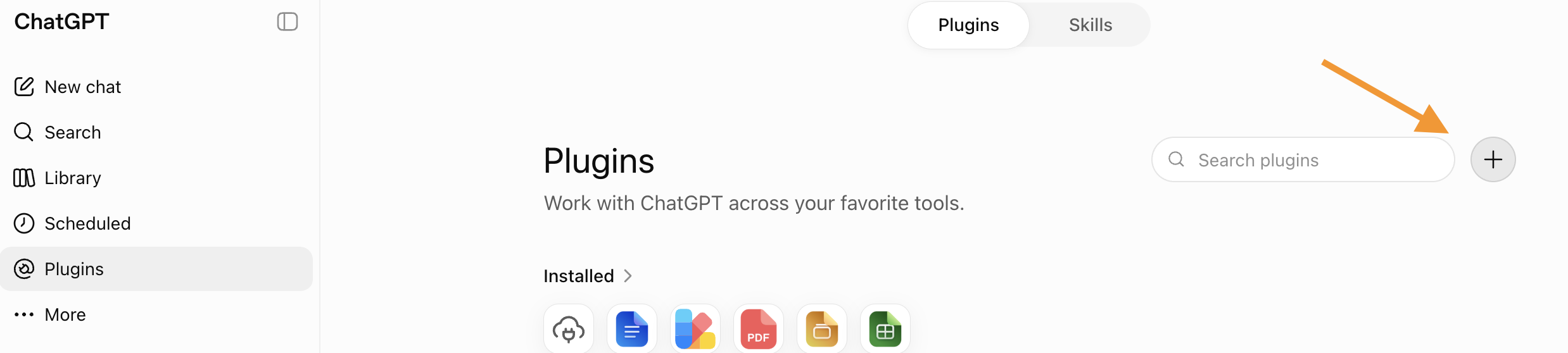
- Give the server a name (for example, Dux-Soup) and enter the server URL:
https://app.dux-soup.com/mcp
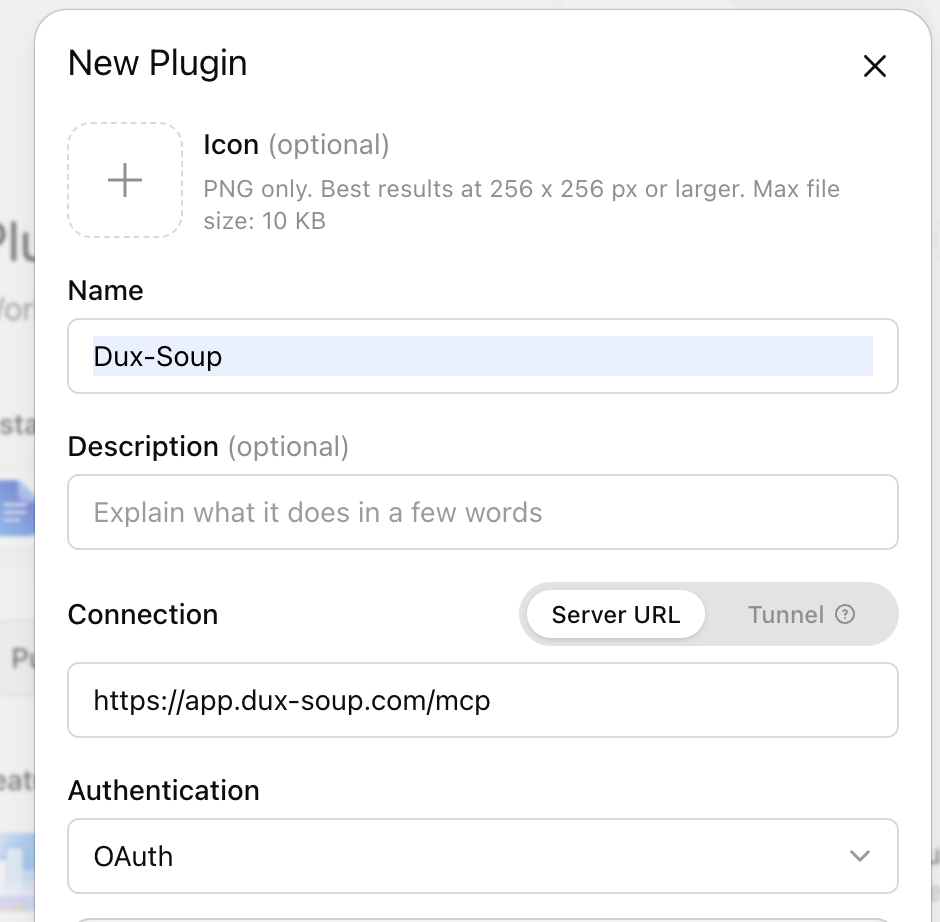
- Click Add. ChatGPT will automatically discover the server configuration and begin the OAuth sign-in process.
- Sign in with the Google account associated with your Dux-Soup Turbo or Cloud subscription.
- Start a new chat and enable the Dux-Soup MCP server if prompted.
Note: Custom MCP servers are currently an experimental feature in ChatGPT. At the time of writing, they are available through the ChatGPT web app only, and may require Developer Mode to be enabled. Availability varies by account type and region.
Dux-Soup's MCP server supports OAuth 2.0 and Dynamic Client Registration, so no additional configuration or API keys are required.