How to use Dux-Soup from ChatGPT or Claude
The Model Context Protocol (MCP) is available for users with a Dux-Soup Turbo or Cloud subscription.
Dux-Soup supports the Model Context Protocol (MCP) - an open standard that lets AI assistants like Claude and ChatGPT connect directly to your Dux-Soup account.
Once connected, you can ask your AI assistant things like "List my campaigns" or "Show me recently active prospects in the ILM campaign" and get a live answer pulled straight from your account - no exporting, no copy-pasting.
The campaign structure itself is exposed to the AI, so it understands what's actually possible - for example, it knows which steps can follow which in a campaign, so when it creates or updates one for you, it builds something valid rather than guessing.
The connector now covers 34 tools across eight areas of your account: campaigns, enrollment and qualification, prospects and tags, performance and funnel data, conversations, the robot queue, team/agency management, and settings.
Already connected?
If you connected Dux-Soup to Claude or ChatGPT before this update, reconnect the integration and restart your AI client to refresh its list of available tools - otherwise it may still be working from the older, smaller tool set.
What you can do with it
The AI assistant can both read your Dux-Soup data and take actions on your behalf, depending on what you ask it to do.
Read-only: ask your AI assistant to
- List your campaigns, view a campaign's full action sequence, or describe the campaign schema
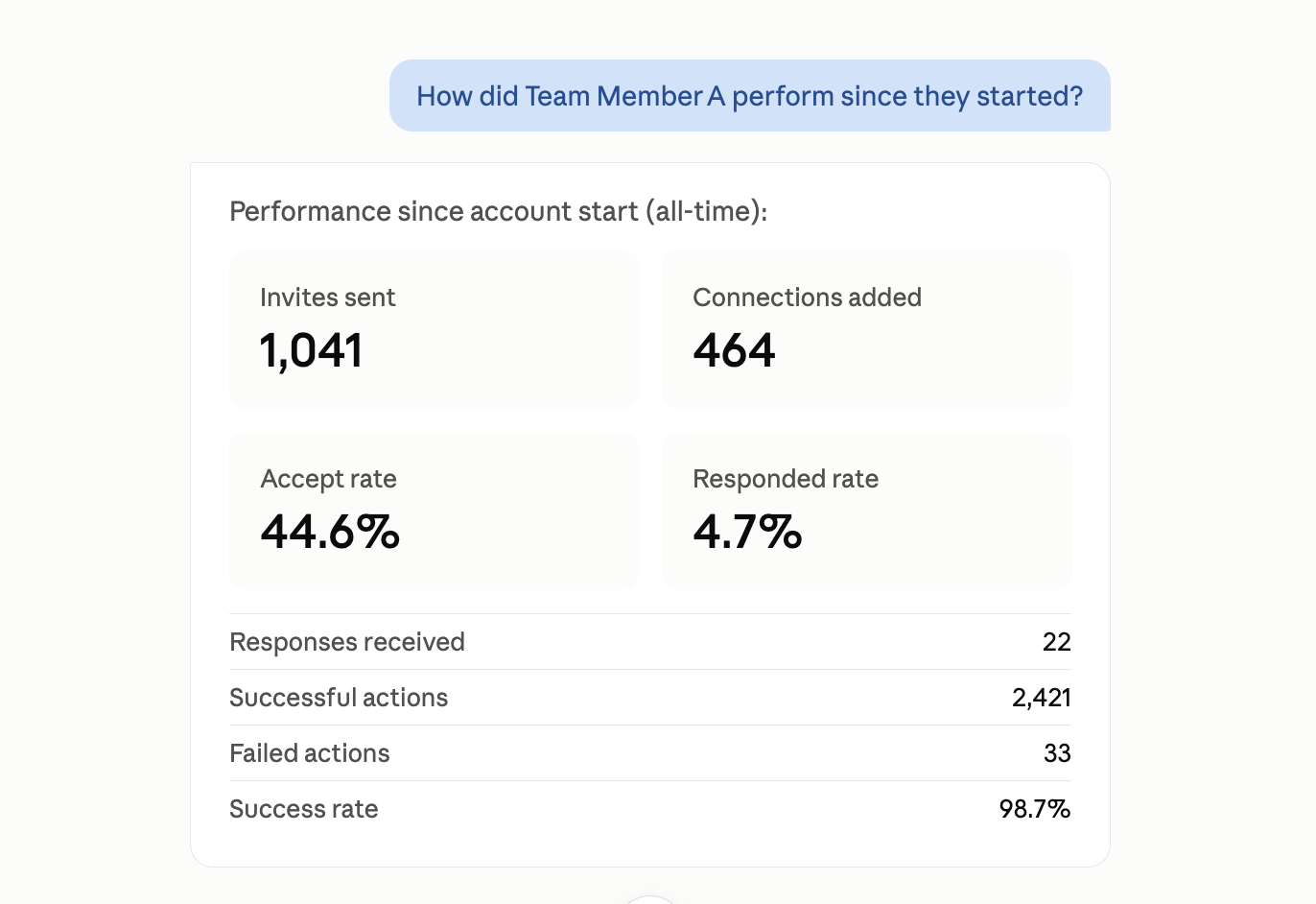
- Get KPIs for one campaign or all of them - invites sent, acceptance rate, response rate, connections added, qualified in/out
- See the funnel state for a campaign - who's enrolled, invited, accepted, responded, or qualified, with name, title, and company
- Pull the log of recent robot actions to confirm what actually ran and spot failures
- Search your full address book, or list prospects with recent campaign activity
- Check the tags on a prospect
- Review a full conversation thread with a prospect, or the latest replies across one or many prospects at once
- Check the size of the robot queue or see what's currently waiting in it
- Retrieve your current robot and account settings, or see which settings can be changed
- If you manage other accounts: list the accounts you manage, check whose robot has stalled, compare KPIs across the team, or pull funnel data across everyone you manage
Actions: ask your AI assistant to
- Create, update, switch, continue, or delete a campaign
- Enroll or unenroll a profile - single or bulk
- Qualify a prospect in or out
- Add or remove a profile tag
- Queue a one-off robot action (visit, connect, message, InMail, follow, endorse, like a post, or disconnect), optionally scheduled for later
- Clear the entire robot queue
- Update account or robot settings - e.g. "slow the robot down" or "reduce daily visits"
Because write actions change live campaign data, your AI assistant will typically ask for confirmation before it acts - and will ask again the first time it tries to connect to Dux-Soup at all. After that first approval, it won't prompt you every time.
Good first prompts to try
"List my campaigns"
"Show me recently active prospects in [campaign name]"
"What are the KPIs for [campaign]?"
"How many items are in my queue right now?"
"Who accepted my invite but hasn't responded yet in [campaign]?"
"Find everyone who replied this week and tag them for follow-up"
- Performance and funnel views default to the last 3 months - ask explicitly if you want to look further back. History is capped at one year for prospect and funnel listings.
- You don't need to name tools - describe the outcome you want, and the assistant will chain together the right calls behind the scenes.
- If you manage other Dux-Soup accounts, most tools accept a team member so that you can say "…for Sarah's account" and the assistant will act on their behalf.
How it works
All communication happens server-to-server: your AI assistant's provider (e.g., Anthropic's cloud infrastructure) talks directly to the Dux-Soup server. Nothing routes through your local device.