
How to enroll 1st-degree connections from an existing campaign?
Once your initial campaign is complete, you can enroll your first-degree connections in a new campaign through the Prospects page.
Steps:
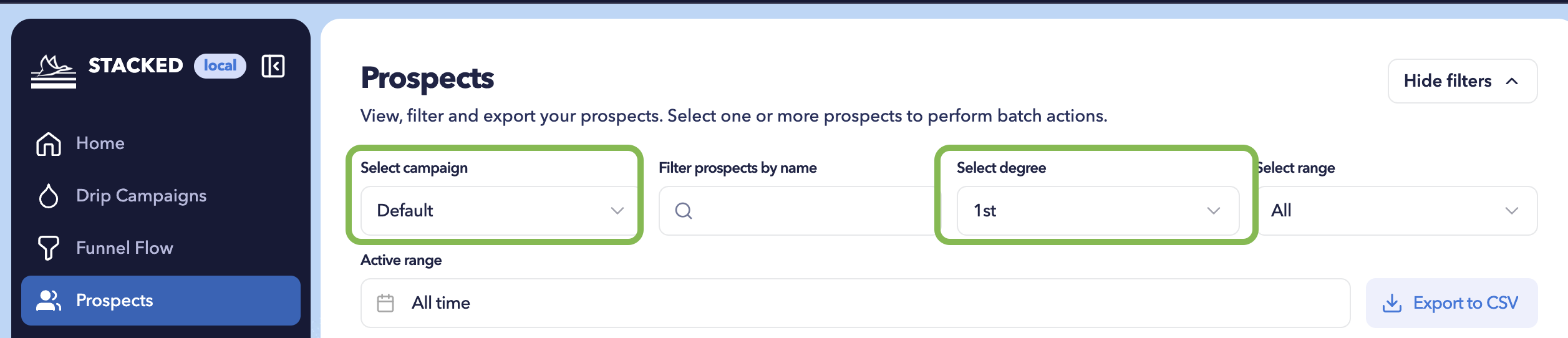
- Select the campaign and ensure the degree is set to 1st.
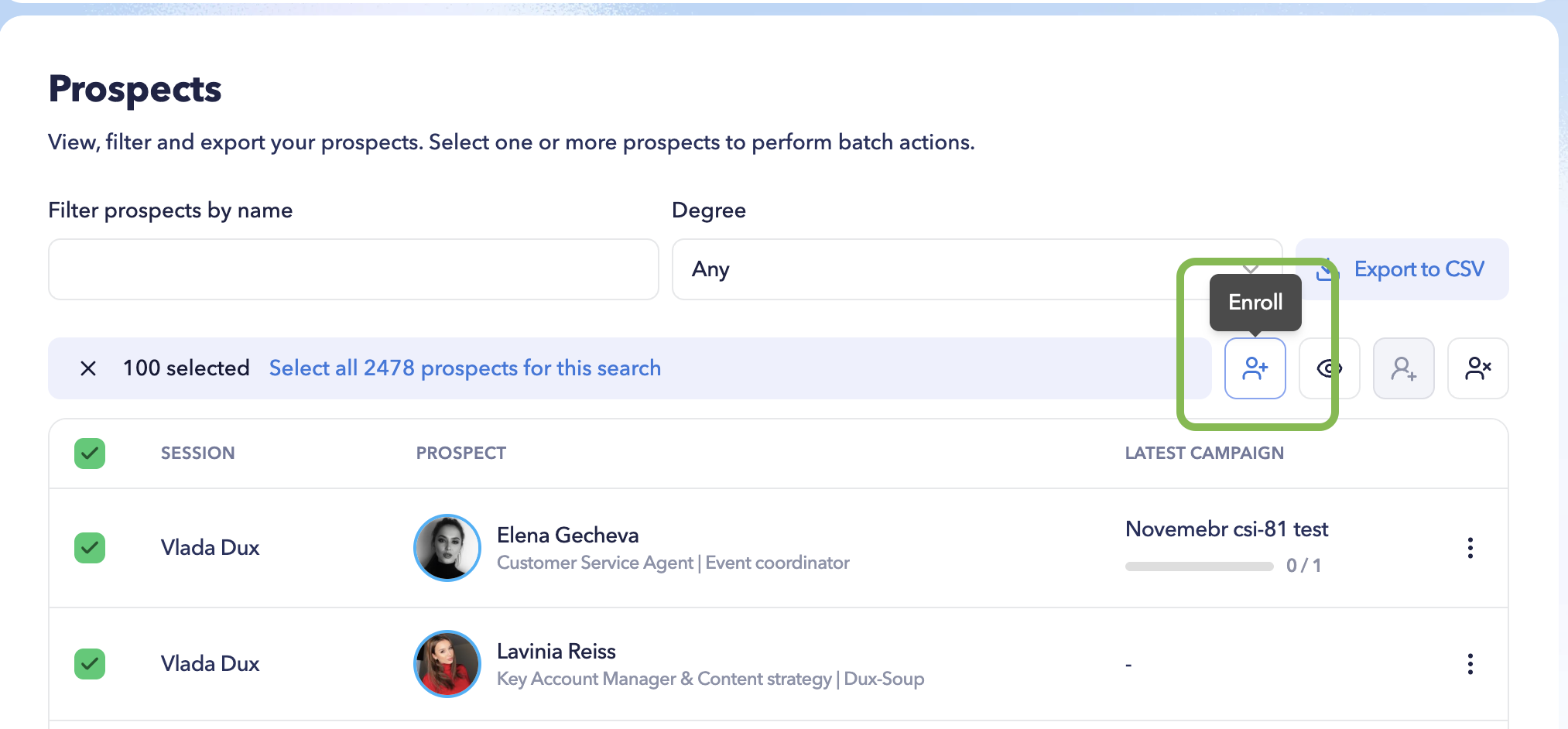
- Select profiles and click the Enroll icon.
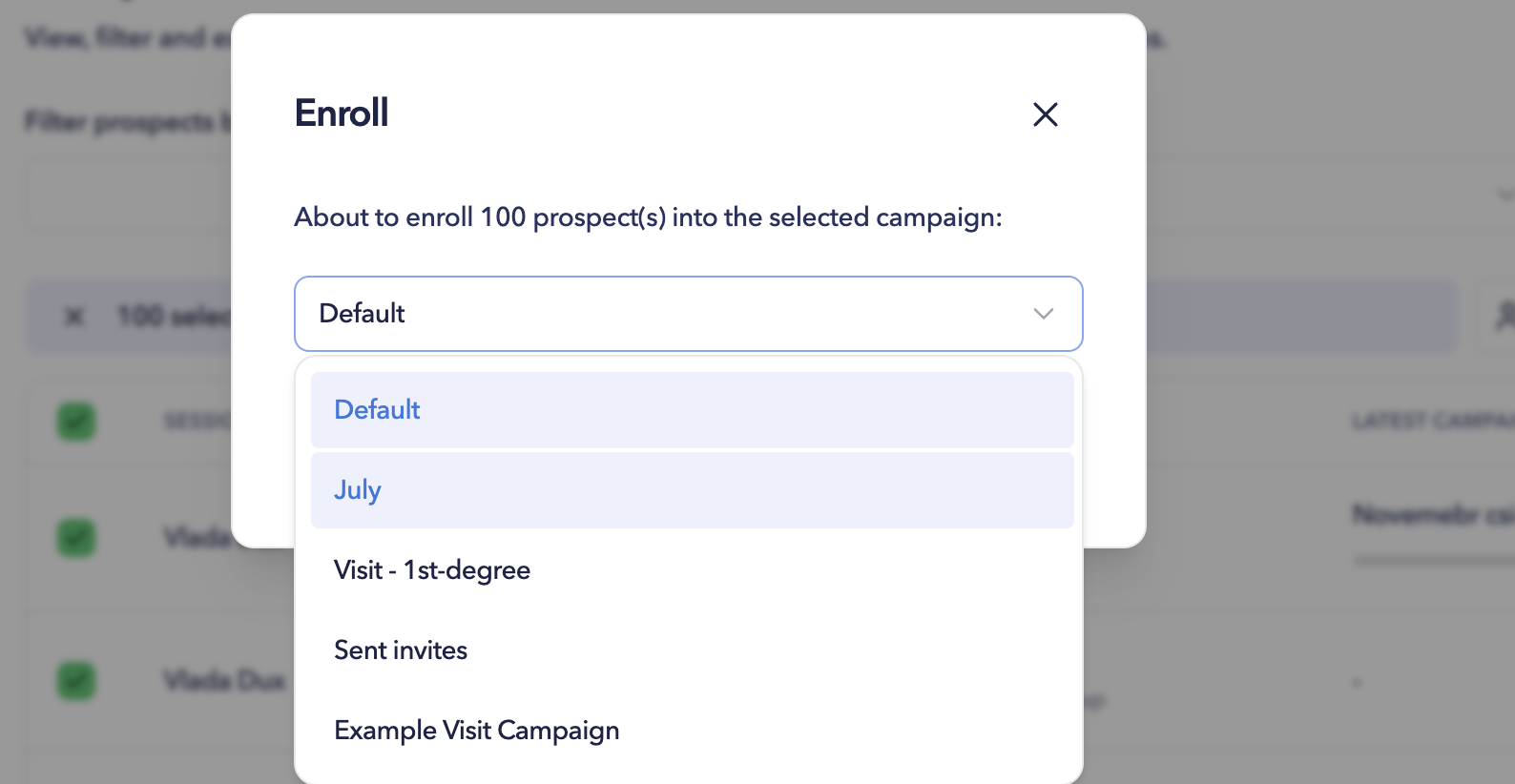
- Choose the target campaign from a drop-down:
STACKED will schedule the first campaign action; you will find it in the Queued Activity section.
Tip
To select more profiles at once, set STACKED to display 100 profiles on one page:
