
Install the STACKED app
To get started, download and install the STACKED app by following the steps below.
- 1
Download STACKED for your Mac:
- Universal version (Apple Silicon and Intel Macs) Download .dmg
- 2 Open the downloaded .dmg file.
- 3 Drag STACKED into the Applications folder.
- 4 Launch STACKED from Applications.
- 5 Sign in with your STACKED account.
- 1
Choose how you want to run STACKED:
- Windows installer Download .exe
- Windows portable (no installation required) Download portable .exe
- 2 Open the downloaded .exe file.
- 3 If you downloaded the installer, follow the setup wizard to complete the installation. If you downloaded the portable version, STACKED will launch directly without installation.
- 4 Launch STACKED and sign in with your account.
Safe & secure: All STACKED downloads are verified and scanned for malware.
Sign in to STACKED
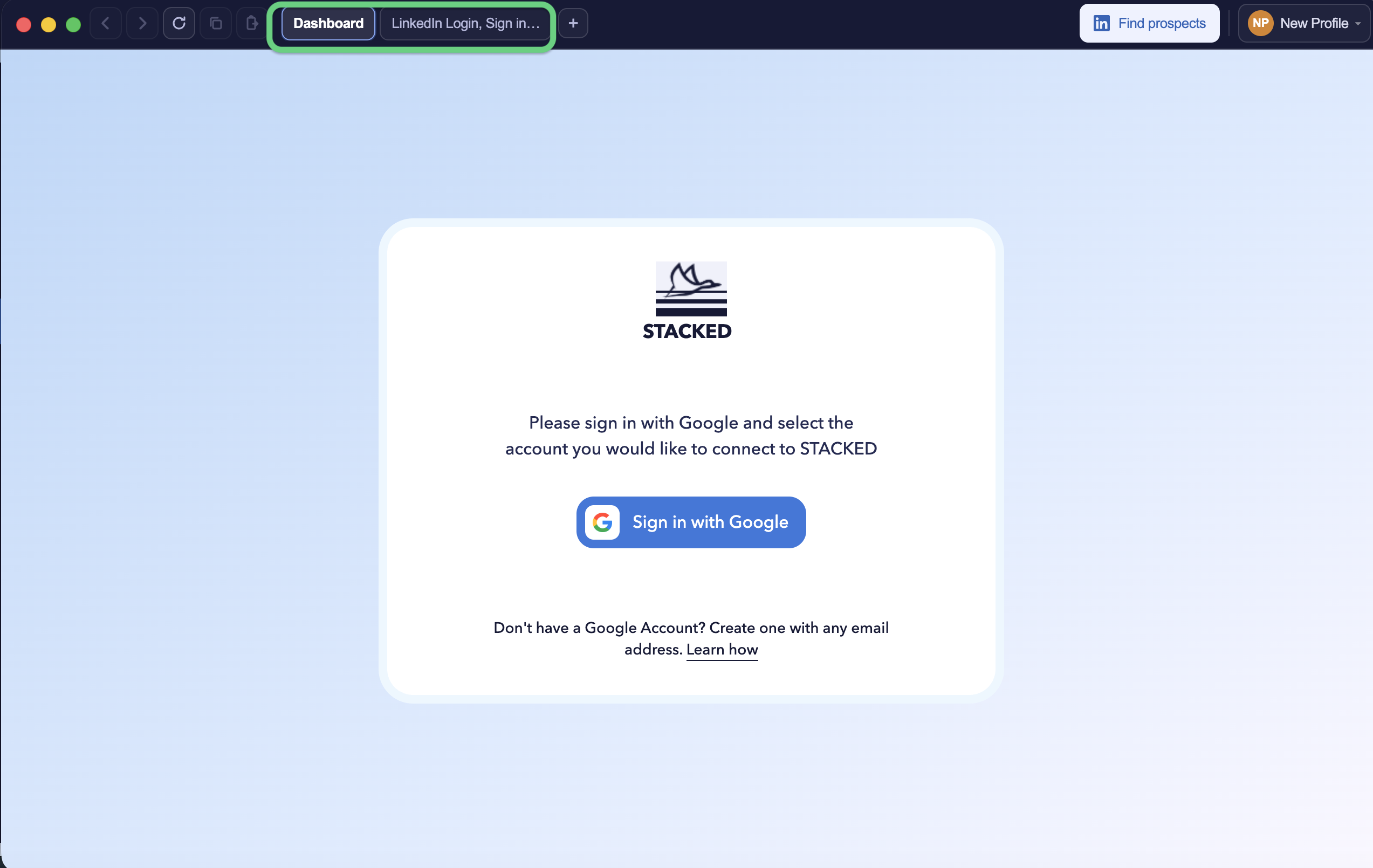
Once STACKED is installed, two tabs will open automatically:
- Sign in to your STACKED account using Google.
- Sign in to LinkedIn with the LinkedIn account you want to automate.
Once you’re signed in to both accounts, you’re ready to start running LinkedIn automation.
Add another account
You can add additional accounts to the app without installing another application.
Click your name in STACKED and select Add profile, then sign in to the additional account using Google.

You can then switch between your profiles directly within STACKED.
Troubleshooting
"App is damaged and can't be opened" (macOS)
This usually means the download didn't complete successfully. Download the .dmg file again and try installing it.
Installer won't run (Windows)
Make sure you downloaded the correct installer for your system architecture (x64 or ARM64). If you're unsure, use the universal installer.
Can't sign in
Verify that you're signing in with the same email address associated with your STACKED account.
Previous version already installed
If the app is already installed, uninstall the previous version before installing the latest release to avoid conflicts.