
Give a client access to STACKED
As an agency owner or admin, you can give clients direct access to STACKED powered by Dux-Soup while continuing to manage their account through your Agency.
This can be useful when a client wants to view their own campaigns and performance, or access STACKED to start their LinkedIn session themselves.
Client access is linked to their individual session, so they won’t have access to your admin dashboard or any other client accounts.
1. Copy the licence key
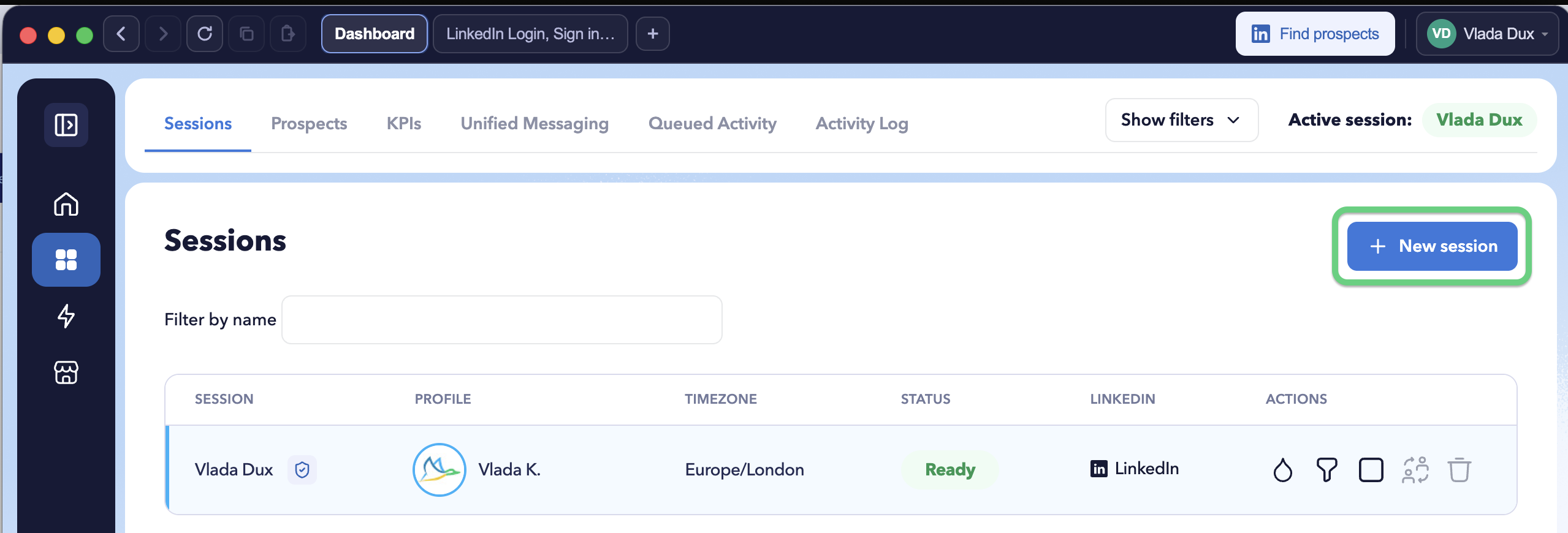
From your agency dashboard, open the Sessions panel and click + New session.
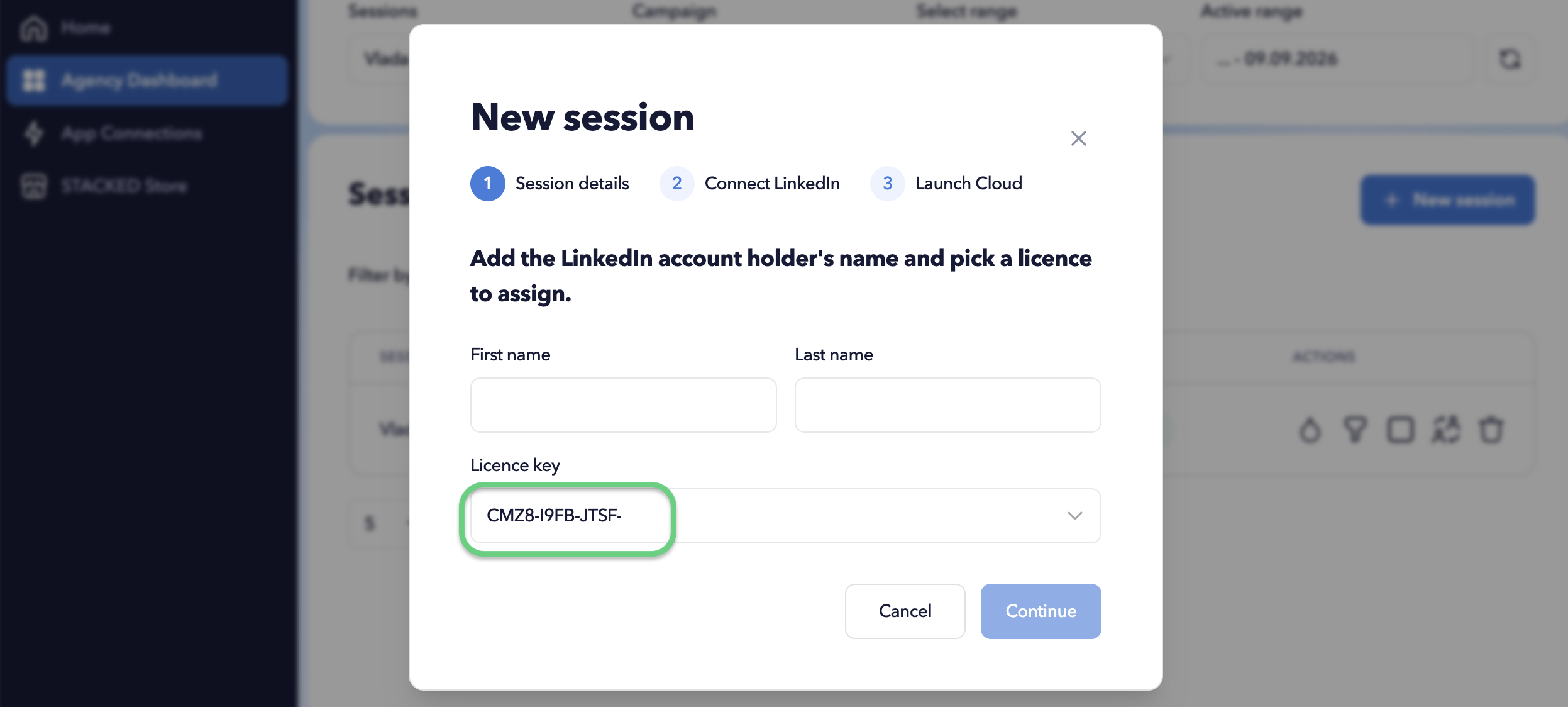
Locate the licence key and copy it. You’ll need to share this key with the client so they can activate their STACKED access.
2. Ask the client to install STACKED
The client needs to install the STACKED app on their Windows or macOS computer.
Follow the installation instructions here:
Once installed, they should open STACKED and sign in with Google.
3. Activate the client’s access
In STACKED, ask the client to:
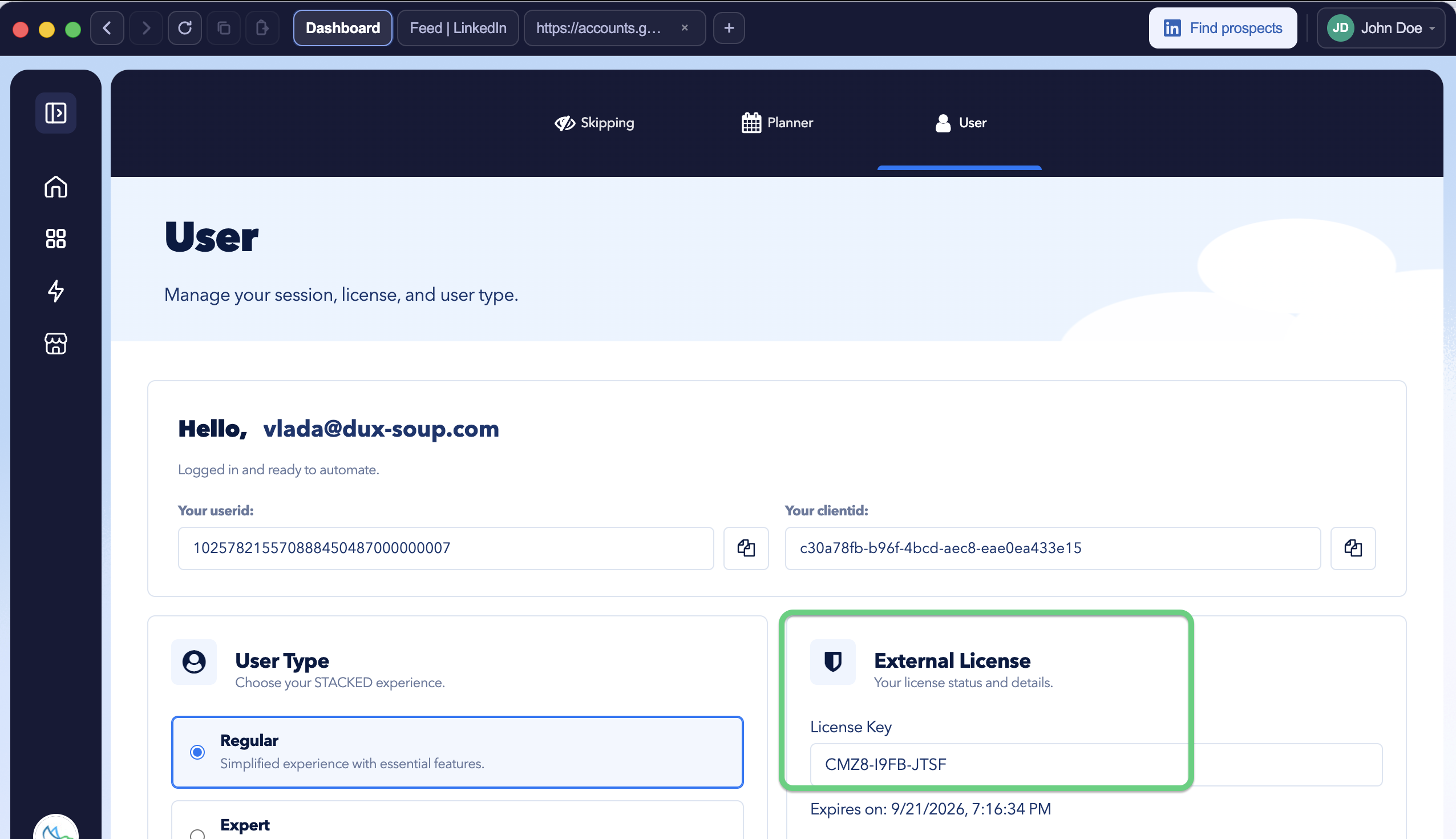
- Open Settings.
- Select the User tab.
- Locate the External License section.
- Enter the licence key you provided.
What can the client access?
The client gets access only to their own STACKED account and campaigns. They can use their STACKED workspace, view their own campaign information and KPIs, and start their LinkedIn session when required.
They cannot access your admin dashboard, other client sessions, campaigns belonging to other clients, or your Agency management controls.
This keeps each client’s access separate while allowing you to continue managing their session through your admin dashboard.