
Where can I change my daily limits?
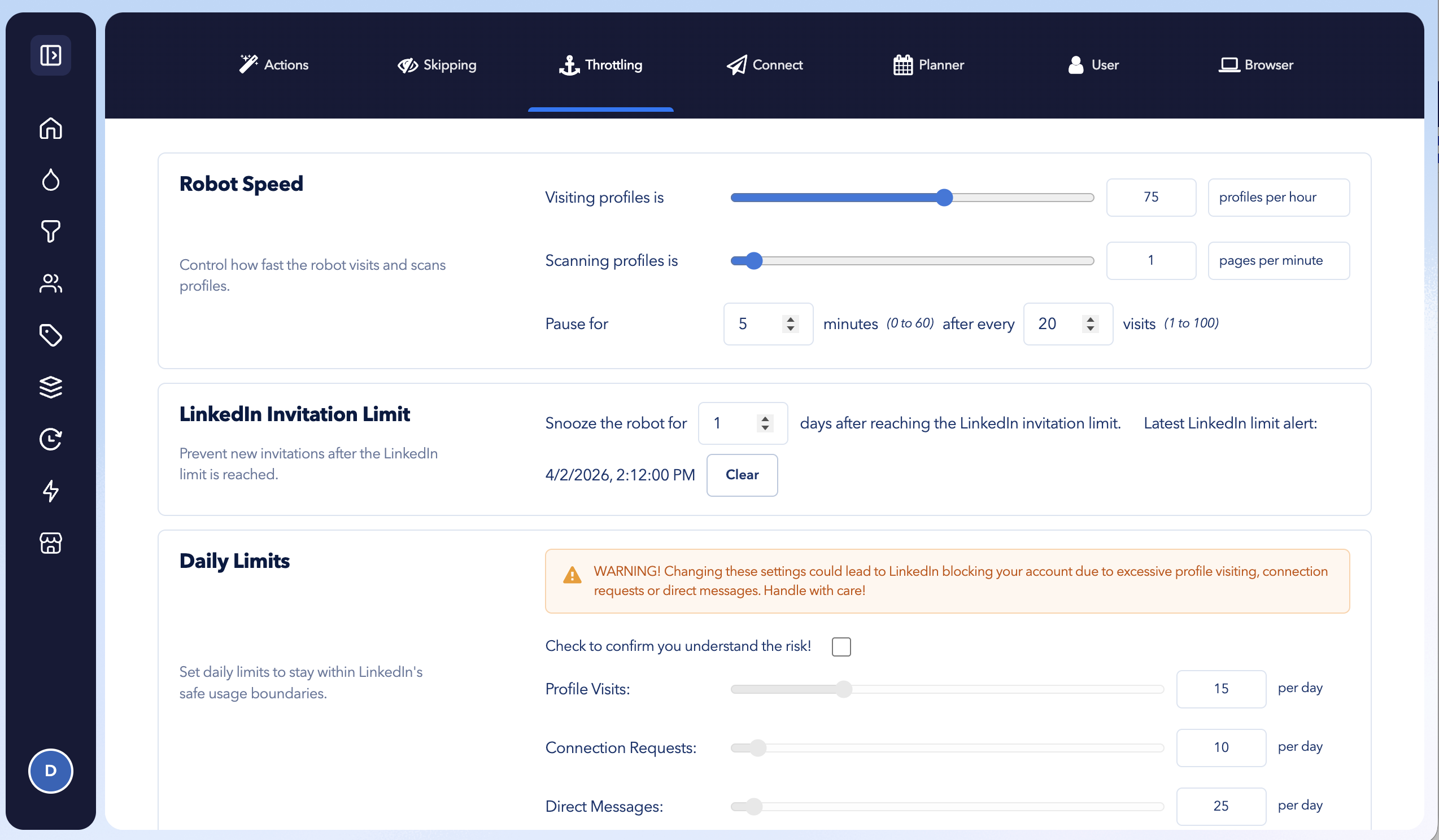
You can review and adjust your automation limits in Settings → Throttling.
Before changing these settings, we recommend learning how STACKED’s default limits and automation speeds are configured:
Open the Throttling settings
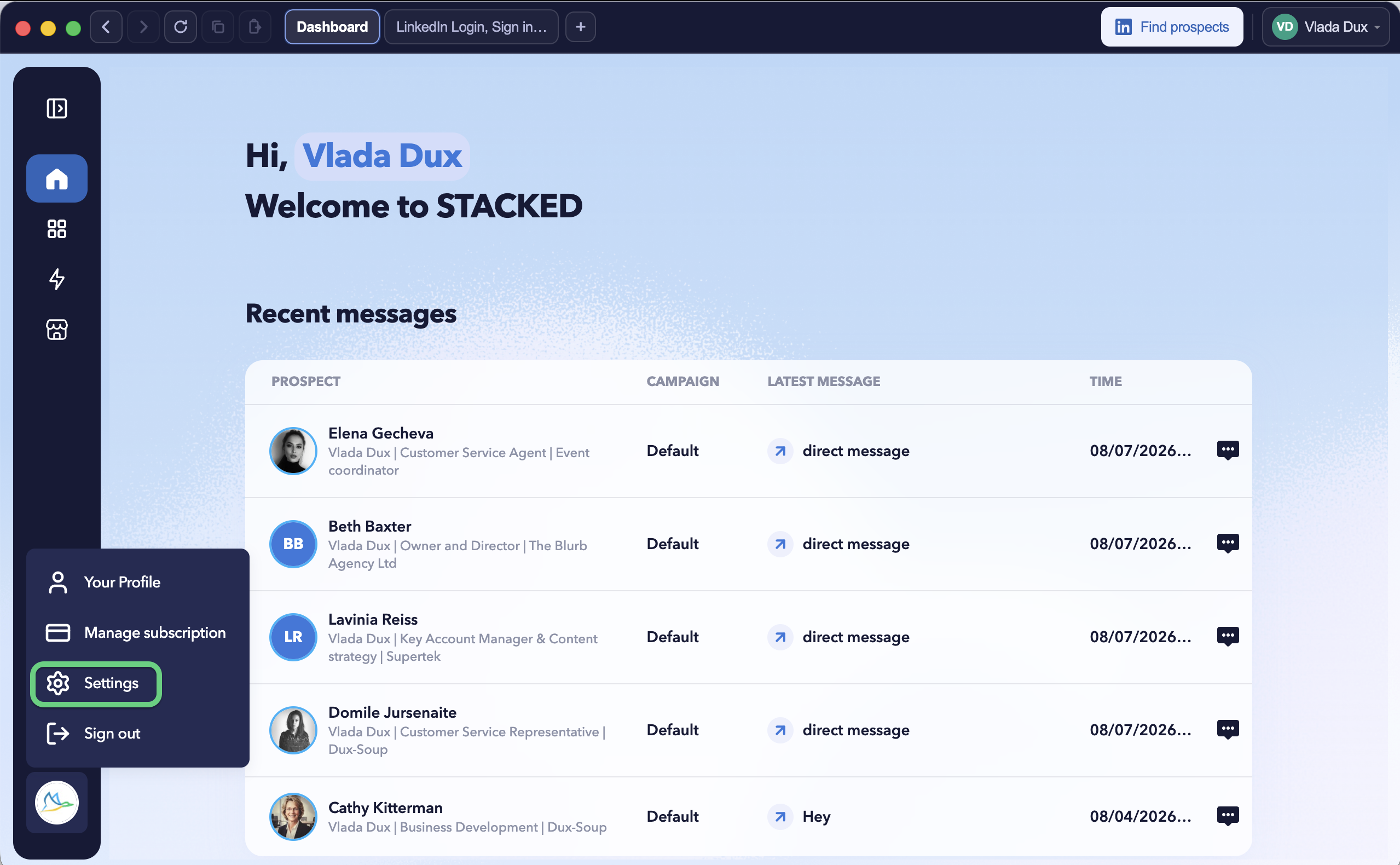
Click your STACKED profile icon in the bottom-left corner and select Settings.
Then select the Throttling tab, located third from the left.
Can’t see the Throttling tab?
New STACKED users start with the Regular (simplified) interface, which uses the recommended default daily limits.
The Throttling tab is only available when using the Expert interface.
To enable it:
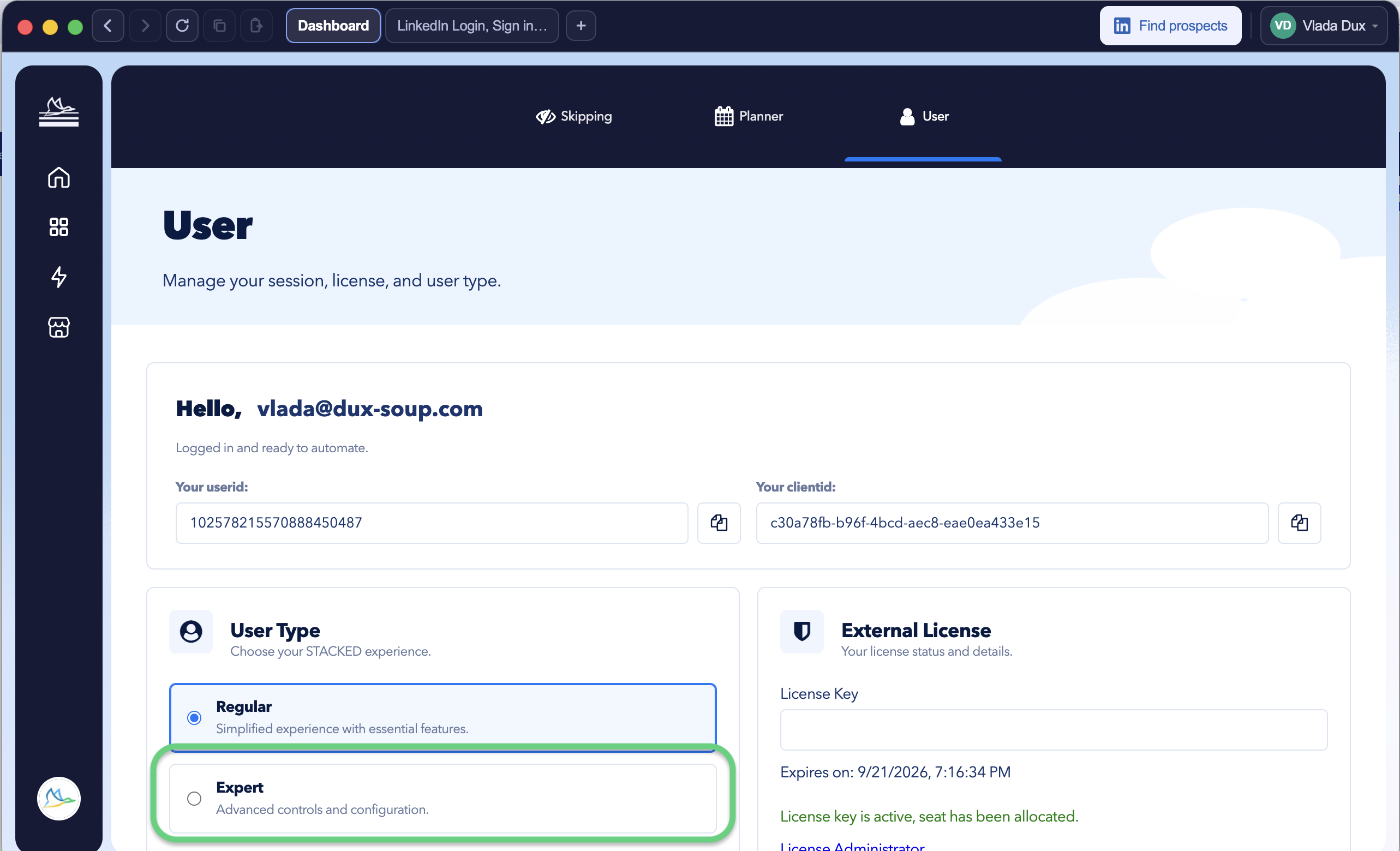
- Go to Settings → User.
- Under User Type, select Expert.
- Return to the Throttling tab to review or change your limits.
We recommend keeping the default limits when you’re getting started. If you decide to increase them, make changes gradually rather than significantly increasing your activity at once.