How can I prevent certain prospects from being enrolled in a campaign?
STACKED provides several ways to prevent unsuitable or previously contacted prospects from being processed by your drip campaigns.
You can apply campaign-specific enrolment rules when creating or editing a campaign, and use the broader Skipping settings to control which LinkedIn profiles STACKED should skip.
Prevent connected prospects or prospects from other campaigns
Prevent connected prospects or prospects from other campaigns
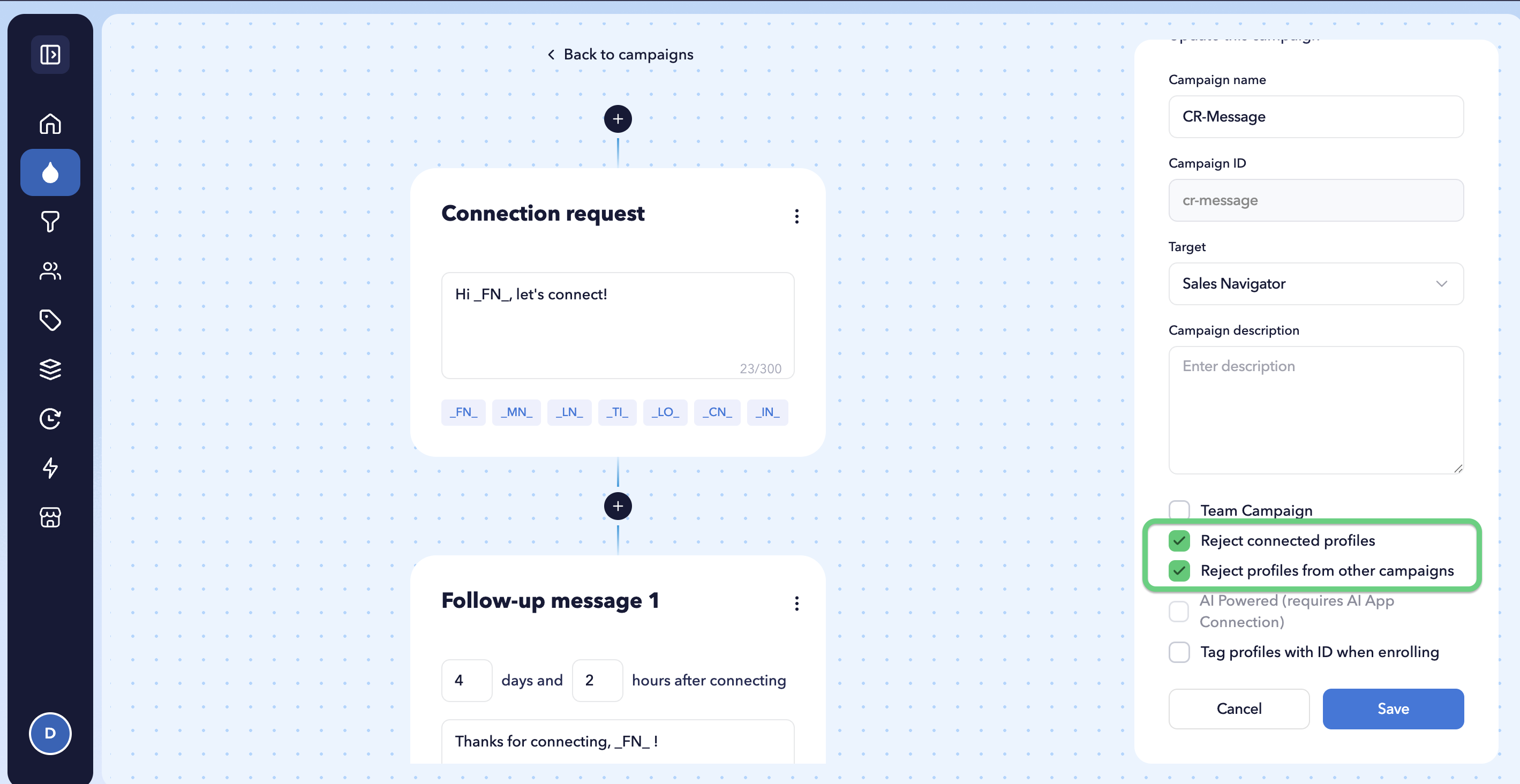
When creating or editing a drip campaign, you can enable two enrolment rules:
- Reject connected profiles
- Reject profiles from other campaigns
Reject connected profiles
Enable Reject connected profiles if you don’t want prospects who are already your 1st-degree LinkedIn connections to be enrolled in the campaign.
This is particularly useful for campaigns designed to target new prospects and send connection requests.
Reject profiles from other campaigns
Enable Reject profiles from other campaigns if you don’t want to enrol prospects who are already enrolled in another drip campaign.
This can help prevent overlapping campaigns and duplicate outreach to the same prospect.
A prospect who is already enrolled in the same campaign cannot be enrolled in it again. STACKED automatically skips the duplicate enrolment.
Use Profile Skipper for additional rules
STACKED also provides Profile Skipper settings for controlling which LinkedIn profiles the robot should skip.
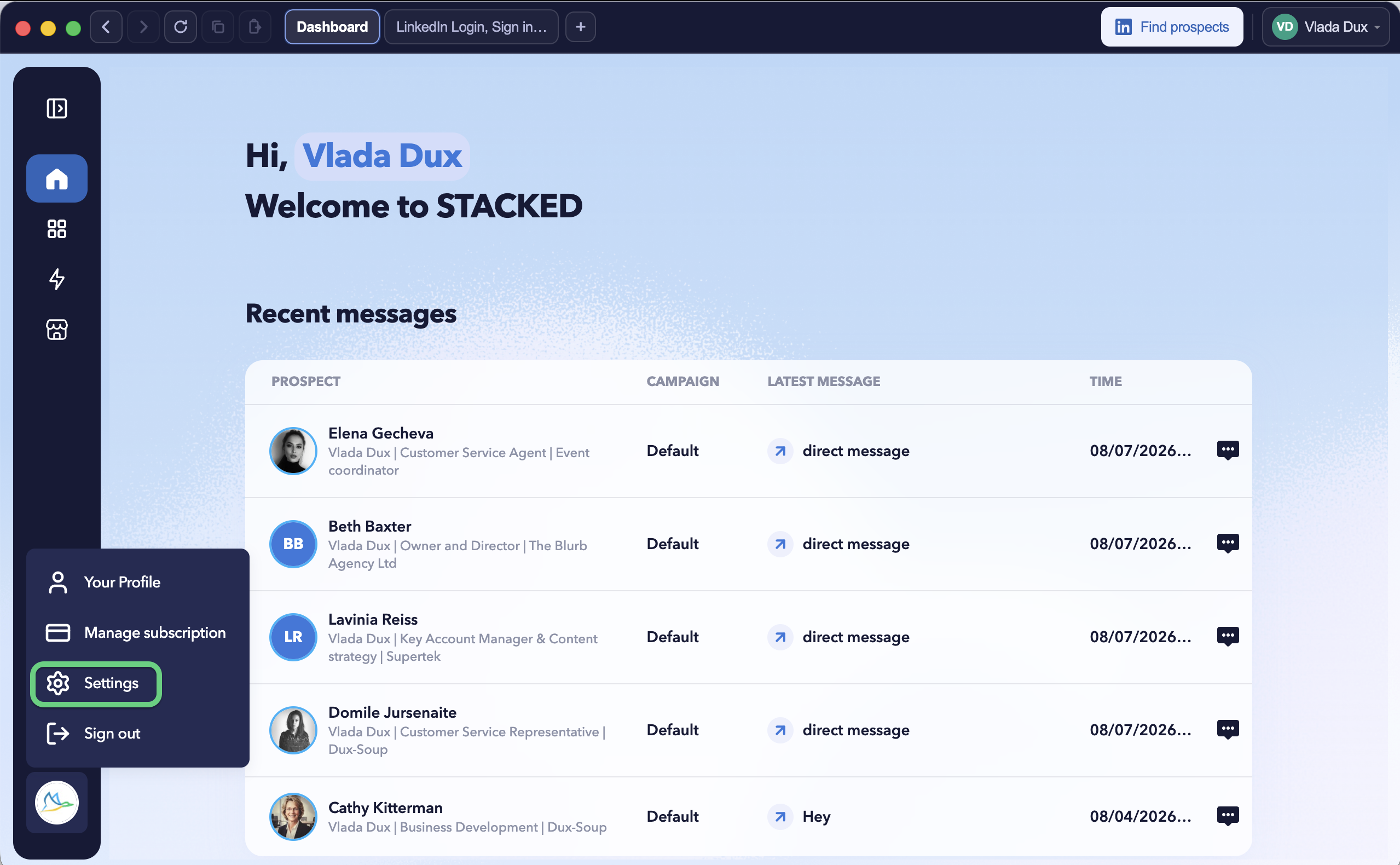
Go to Settings → Skipping to configure these rules.
- Click your STACKED profile icon in the bottom-left corner and select Settings.
- Select the Skipping tab:
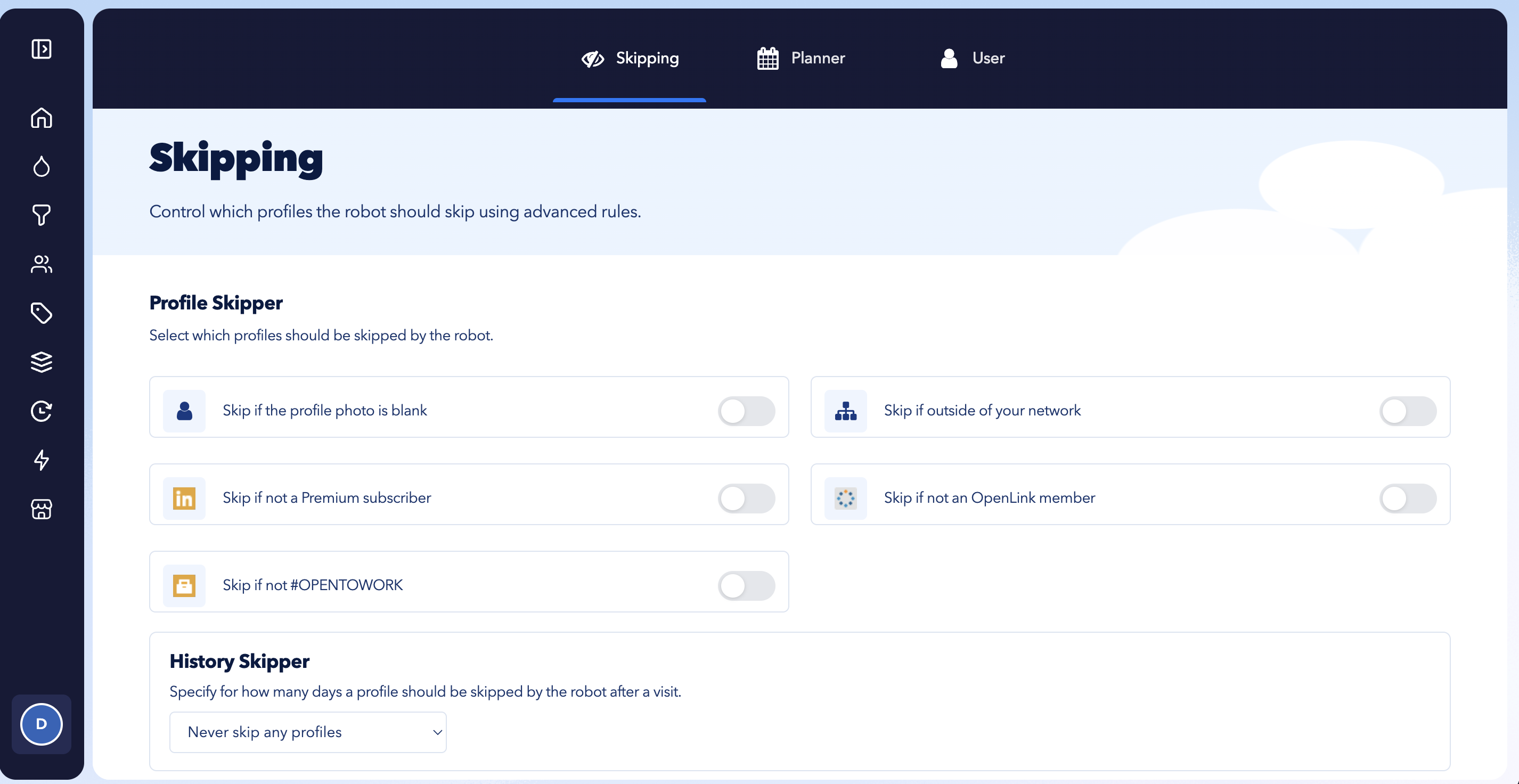
You can tell STACKED to skip a profile when:
- The profile photo is blank
- The prospect is outside your network
- The prospect isn’t a LinkedIn Premium subscriber
- The prospect isn’t an OpenLink member
- The prospect doesn’t include #OPENTOWORK
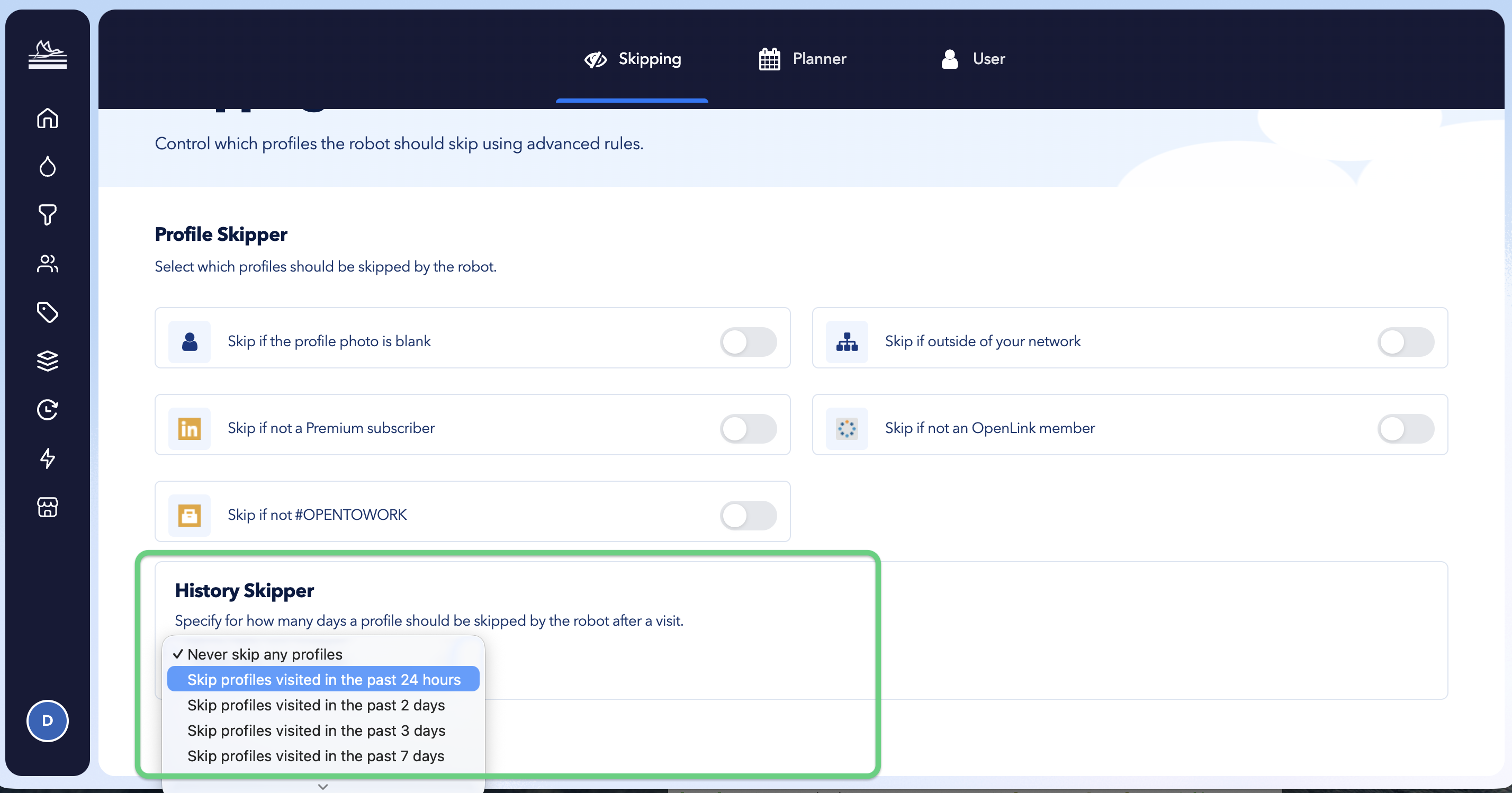
Skip profiles you’ve already visited
The History Skipper lets you prevent STACKED from processing profiles that were visited recently.
Under Settings → Skipping, choose how long a profile should be skipped following a previous visit.
This can help you avoid repeatedly processing the same LinkedIn profiles within a short period.