
How to activate a STACKED licence key
A licence key gives you access to the paid features of STACKED, powered by Dux-Soup.
You may receive a licence key from your Team or Agency admin, or directly from our Support or Sales team. Once you receive your key, you can activate it from the STACKED app.
Open STACKED
Open the STACKED app on your computer.
If you haven’t installed STACKED yet, follow the installation instructions first:
Open your User settings to enter your licence key
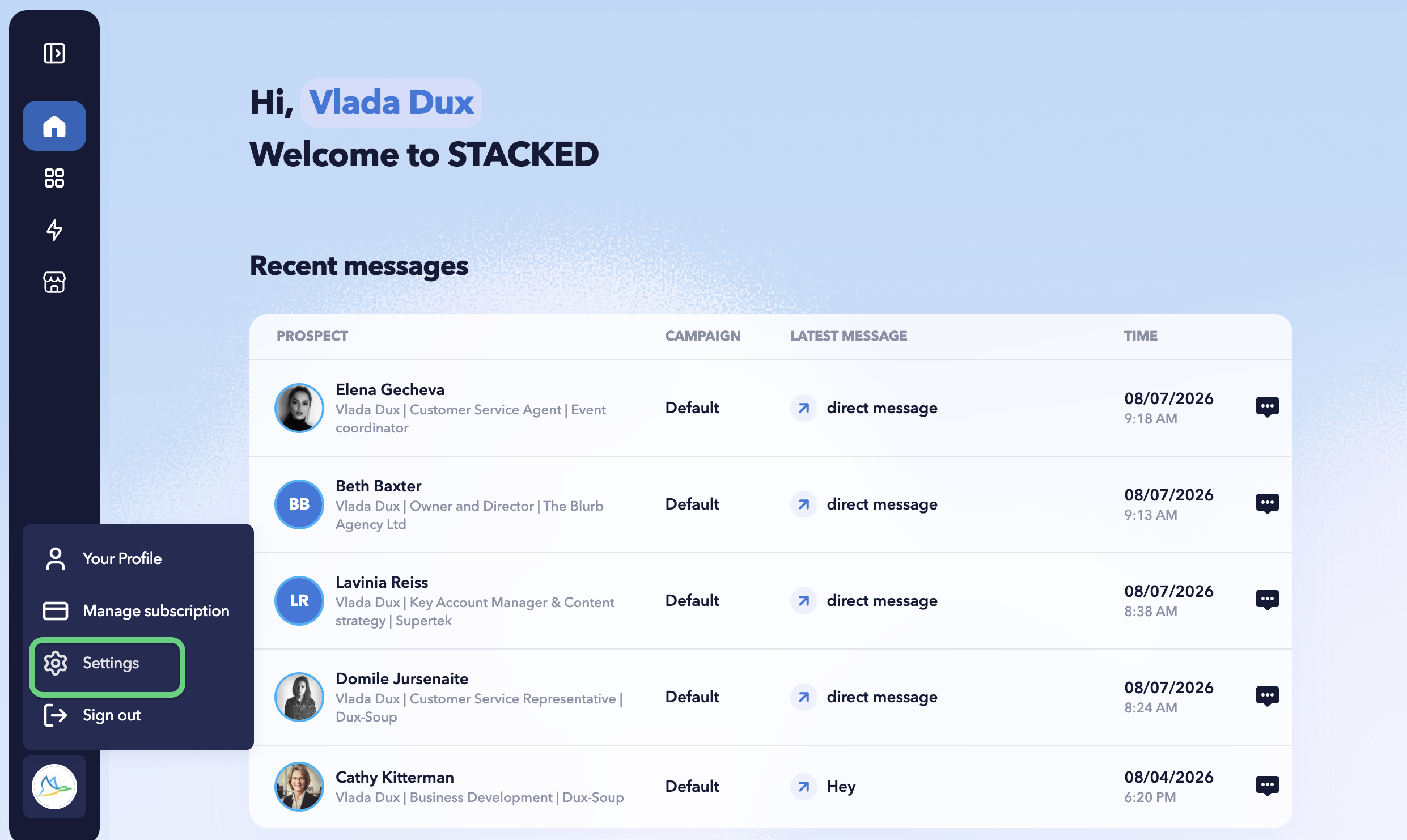
Click the profile icon in the bottom-left corner and select Settings.
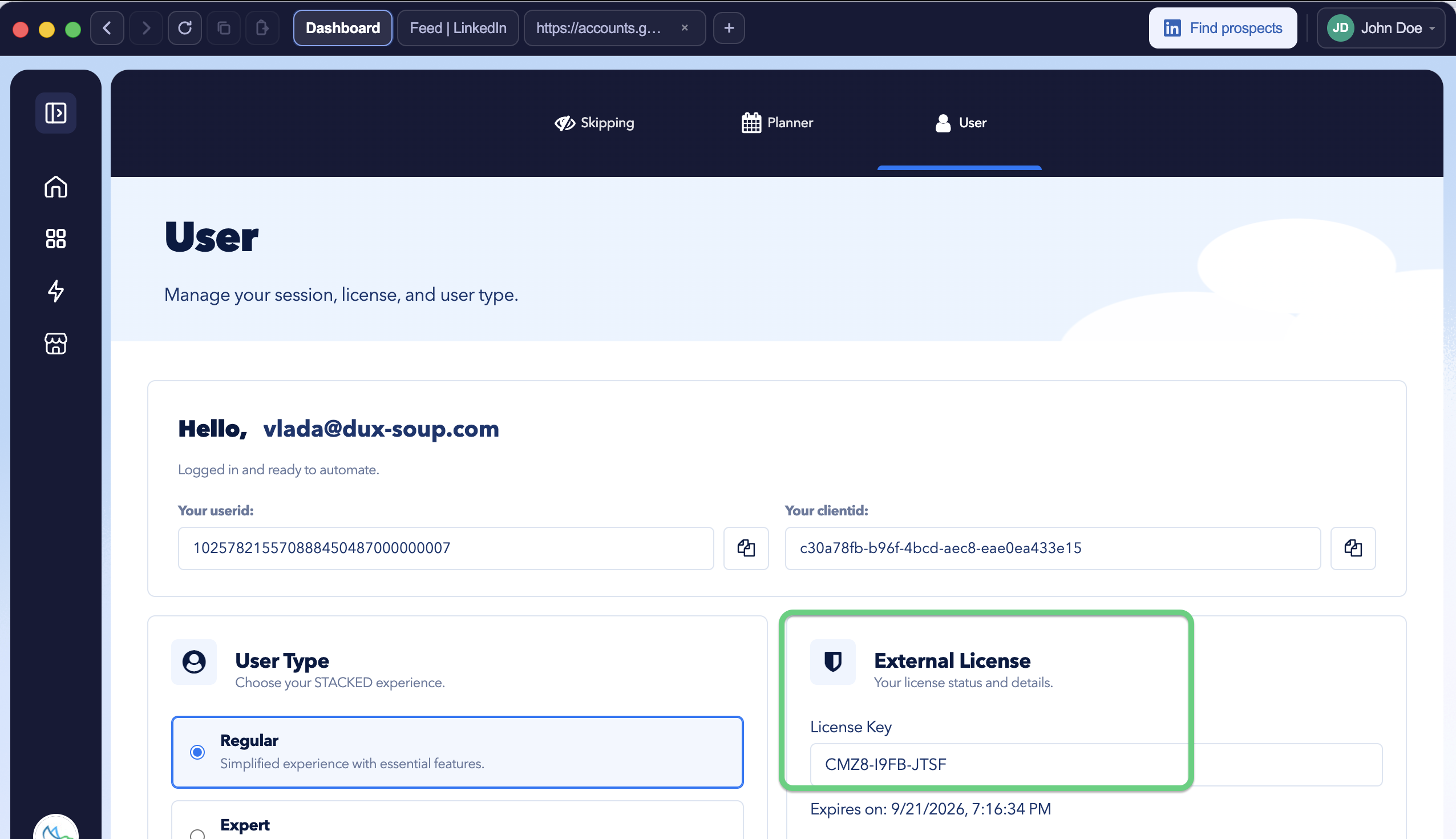
Open the User tab and locate External License.
Paste the licence key provided by your admin or us into the External License field and activate it.
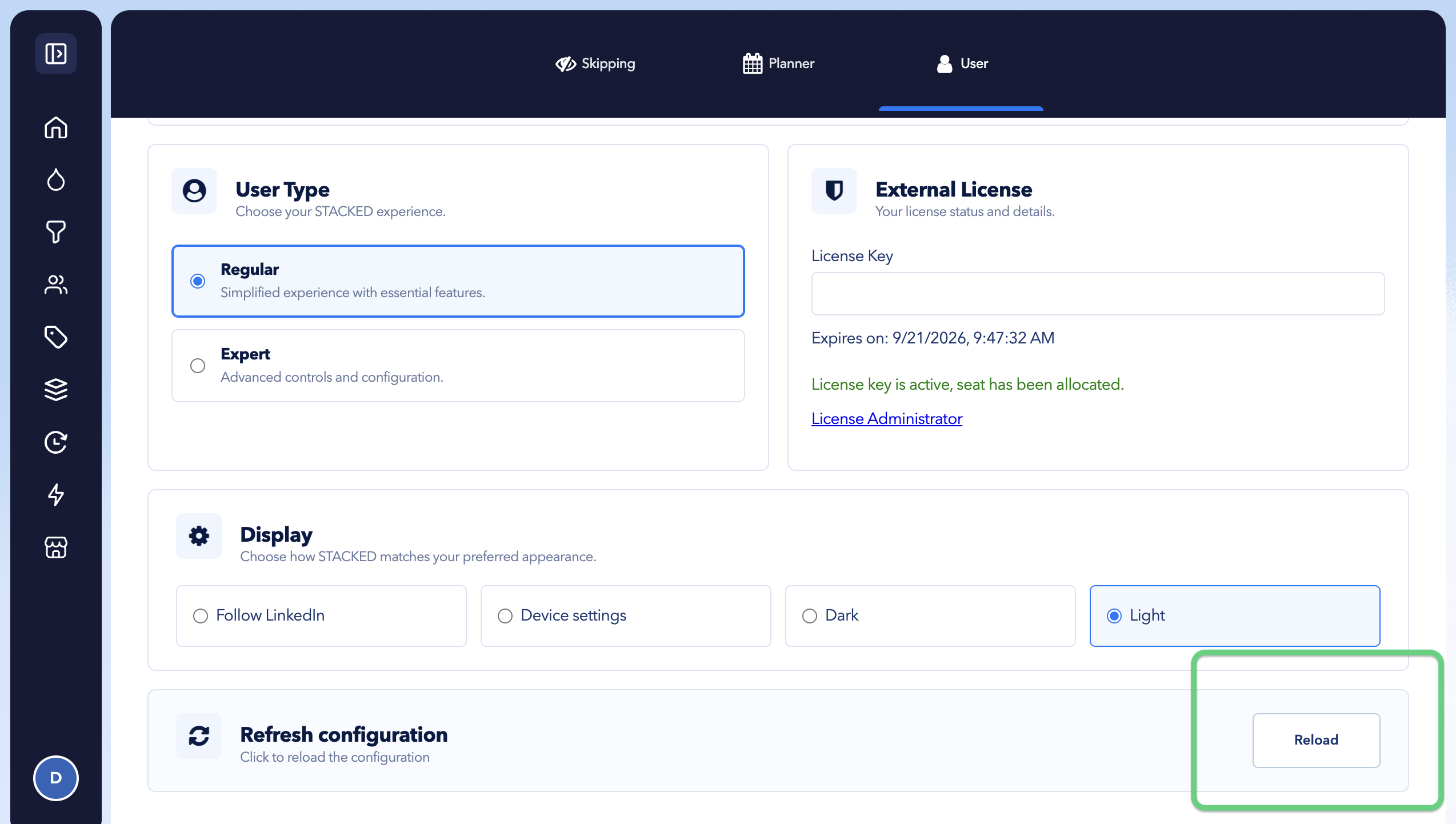
Reload configurations
Click the Reload button in the bottom-right corner of the tab to apply your changes.
Once successfully activated, the licence will be linked to your STACKED account email, and you’ll have access to the features included with that licence.
If the licence belongs to a team or agency account, your STACKED account will also appear as a session in your admin’s Sessions panel.
Having trouble activating your key?
Check that you’ve copied the complete licence key without adding any extra spaces.
If the key still can’t be activated, contact info@dux-soup.com and include the licence key so our Support team can check it.