How to reload the STACKED app
To reload the STACKED app, follow these steps:
- Open the STACKED app on your computer.
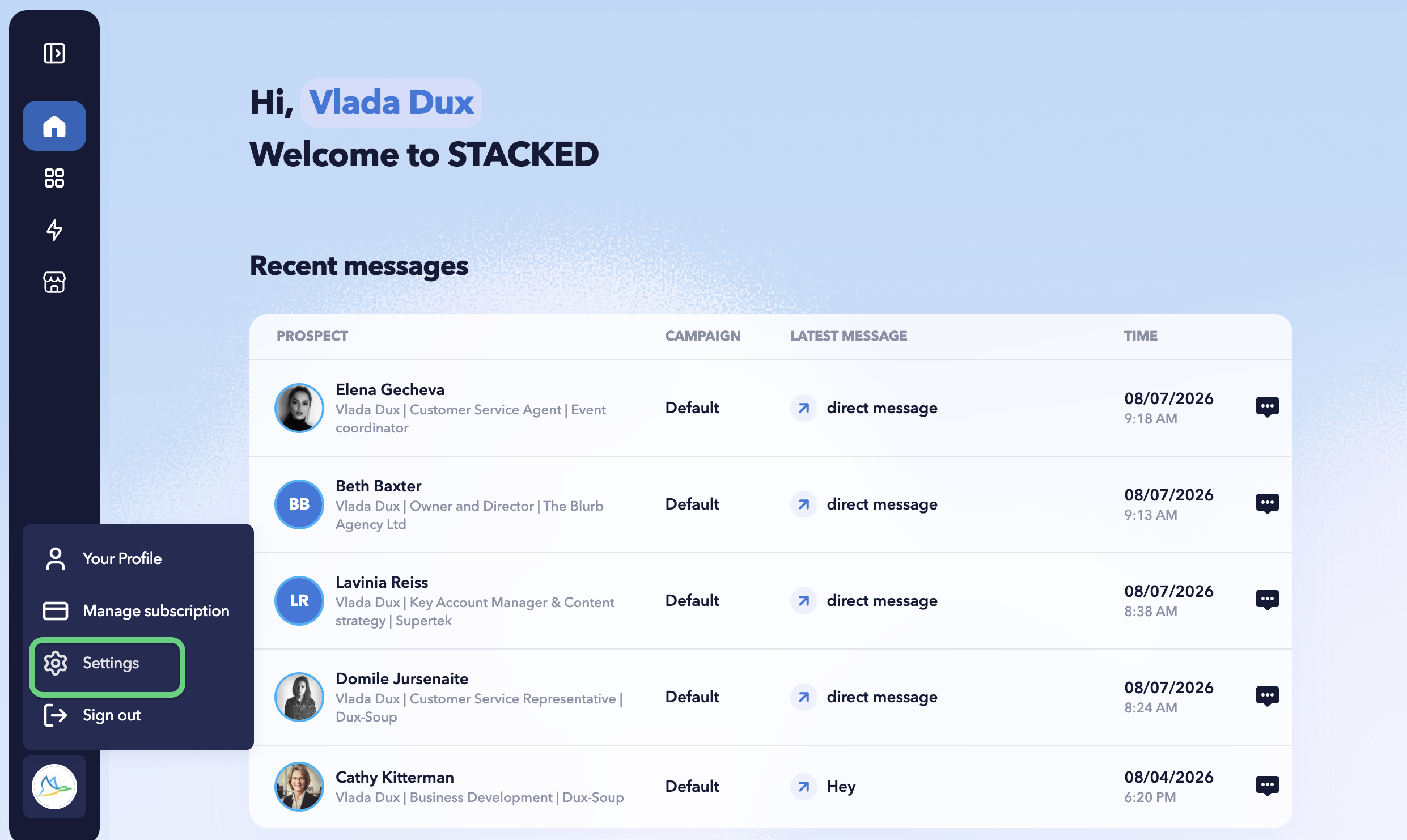
- Click the profile icon in the bottom-left corner and select Settings.
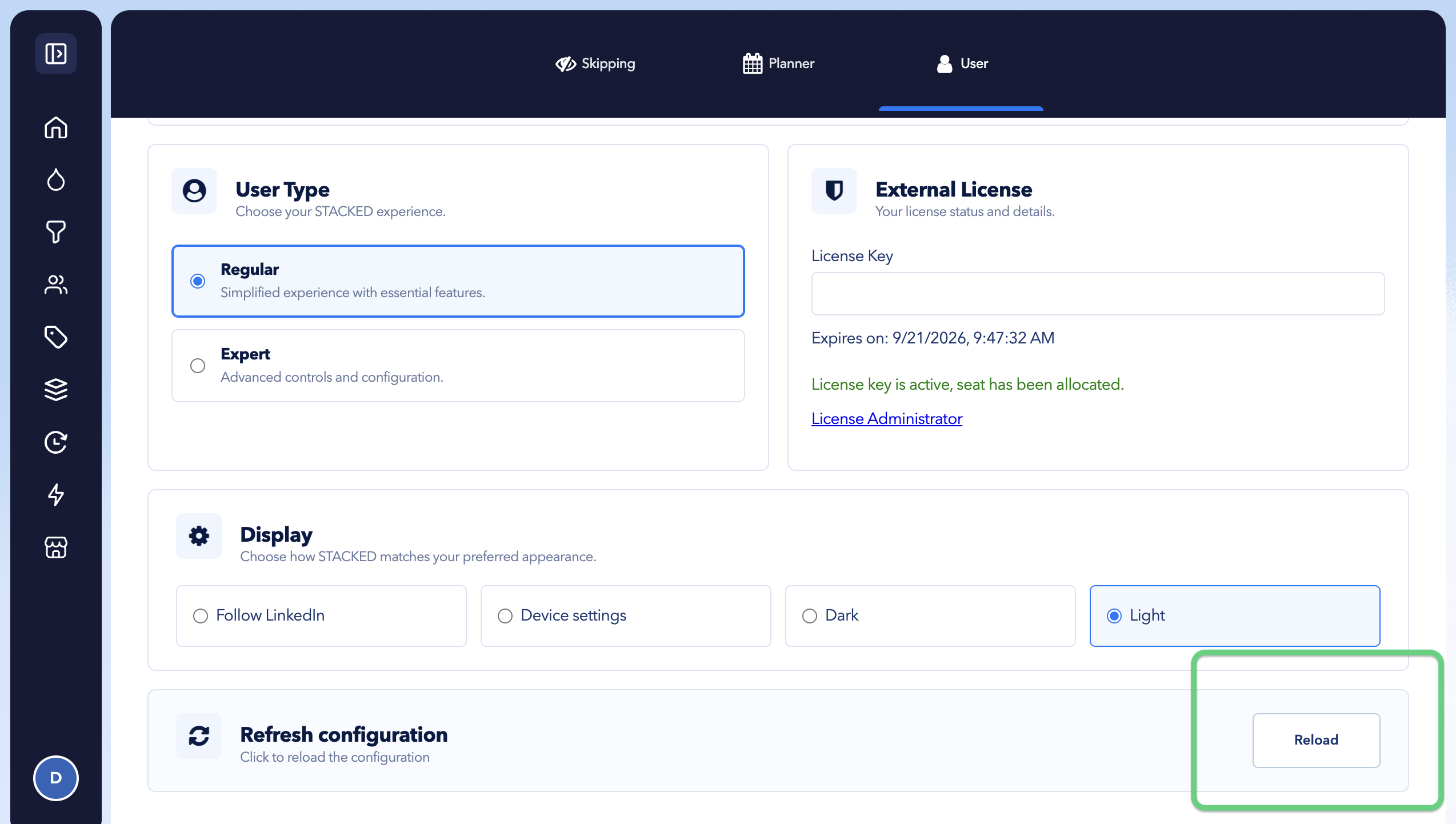
- Open the User tab and click the Reload button in the bottom-right corner