
Invite team members on a prepaid STACKED plan
If you’re a team admin on a prepaid STACKED plan, you can invite people from your Team Dashboard. This applies to both STACKED cloud and local plans.
Choose the right role
- User: Uses one of your team’s prepaid seats.
- Admin: Gets access to the Team Dashboard to manage the team without using a prepaid seat.
If someone needs to manage the team and use STACKED, send both a User and an Admin invitation to the same email address.
Send an invitation
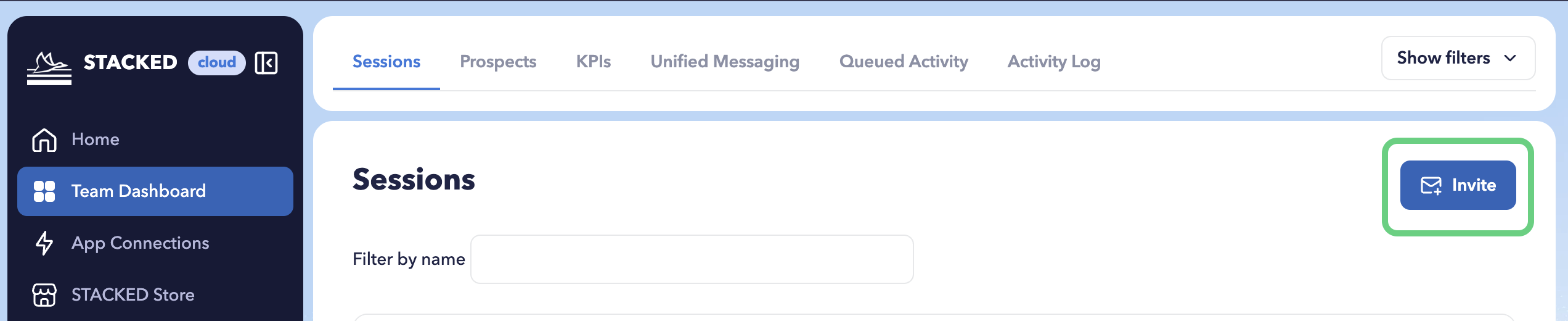
- Open the Team Dashboard and select the Sessions tab.
- Click Invite.
- Enter the recipient’s email address.
- Choose User or Admin under Role.
- Click Send.
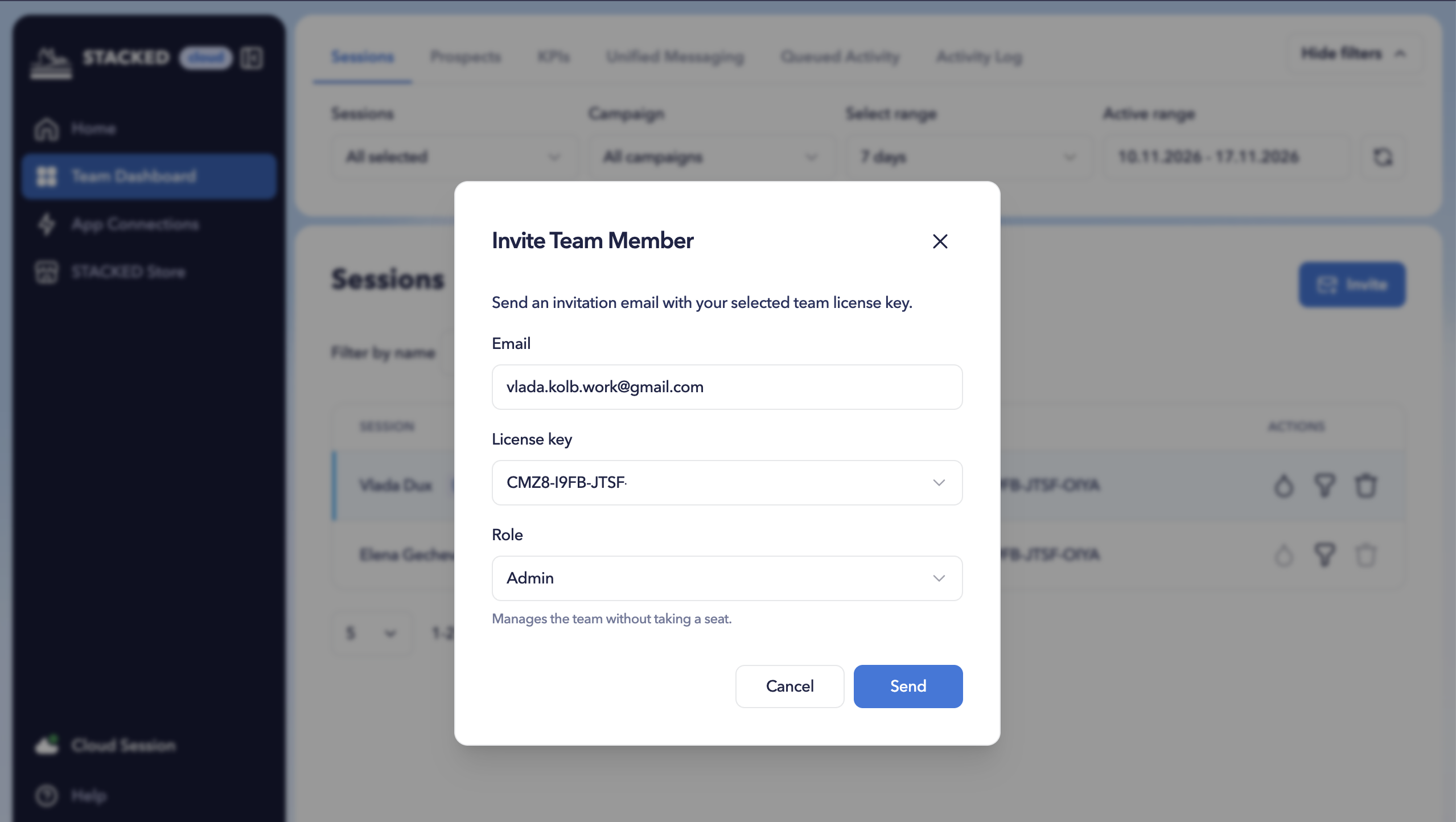
The recipient should then check their email inbox for the invitation. Each invitation link is valid for 7 days.
Accepting a User invitation sets up the prepaid seat automatically, with no manual activation needed.
Accepting an Admin invitation grants access to the Team Dashboard without using a seat.
The invitation page or invitation email guides whether a user or an administrator can accept the invitation:
- The link has expired: the team admin needs to send a new invitation.
- The invitation has already been used: Each invitation can only be accepted once. Using the link again does not grant additional access.
- You’re signed in with a different email address: Sign in using the email address shown on the invitation.
- There are no free seats: the team admin needs to purchase additional seats or free up an unused seat.