
How to enroll profiles who didn't accept the invite on another campaign?
To follow up with LinkedIn prospects who haven’t accepted your connection request, enroll them in a new STACKED campaign. You can send them an InMail or resend the connection request.
If your new campaign includes a connection request, withdraw any pending requests first.
Make sure the original connection request was sent less than 60 days ago. To make this easier to check, include the start and end dates in each campaign’s description. STACKED won’t process a repeat connection request if it was sent through another campaign less than 60 days ago.
Steps:
- Create an InMail-only campaign or a campaign that includes a connection request.
- In the STACKED Dashboard, open Prospects.
- Use the Campaign and Degree filters to find the prospects you want to enroll.

- Select the profiles and click the Enroll icon.
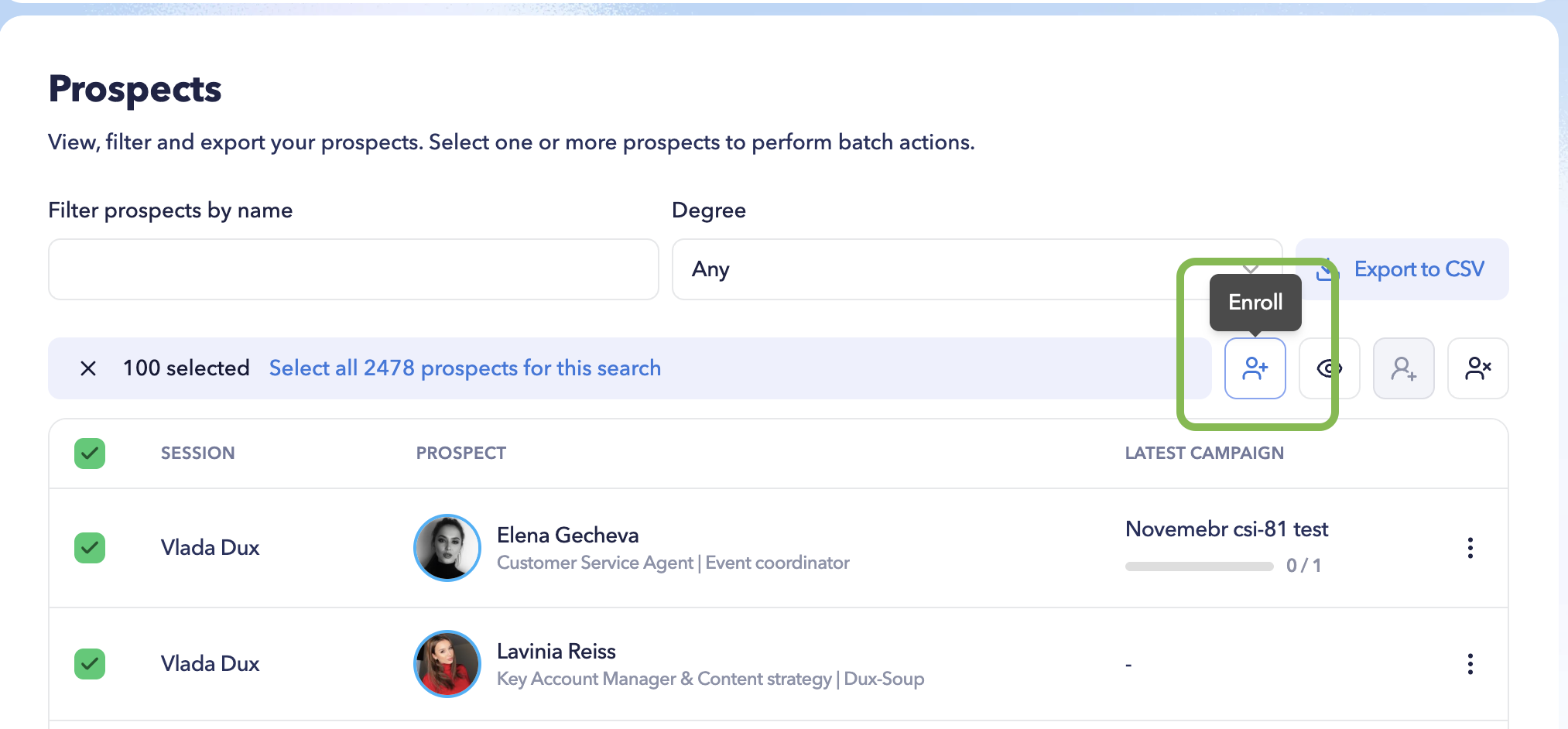
- Choose the new campaign from the dropdown.
STACKED will schedule the first campaign action. You can find it under Queued Activity.
InMail campaigns require a LinkedIn Sales Navigator or Recruiter account with available InMail credits.