
Use an agency seat for your own LinkedIn account
If you were already using STACKED, powered by Dux-Soup, before upgrading to a multi-seat post-paid plan, you can continue using your existing STACKED account and keep access to your campaigns and previous data.
After purchasing a multi-seat plan with the same email address as your existing individual STACKED account, signing in will take you to the admin dashboard.
At this point, you may notice that your previous Drip Campaigns and other STACKED features are no longer visible.
Don’t create a new session. Your existing data has not been deleted.
Your previous STACKED account has simply lost access to the paid features that were provided by your individual subscription. You now need to assign one of your new Agency seats to that existing account.
Activate an Agency seat on your existing account
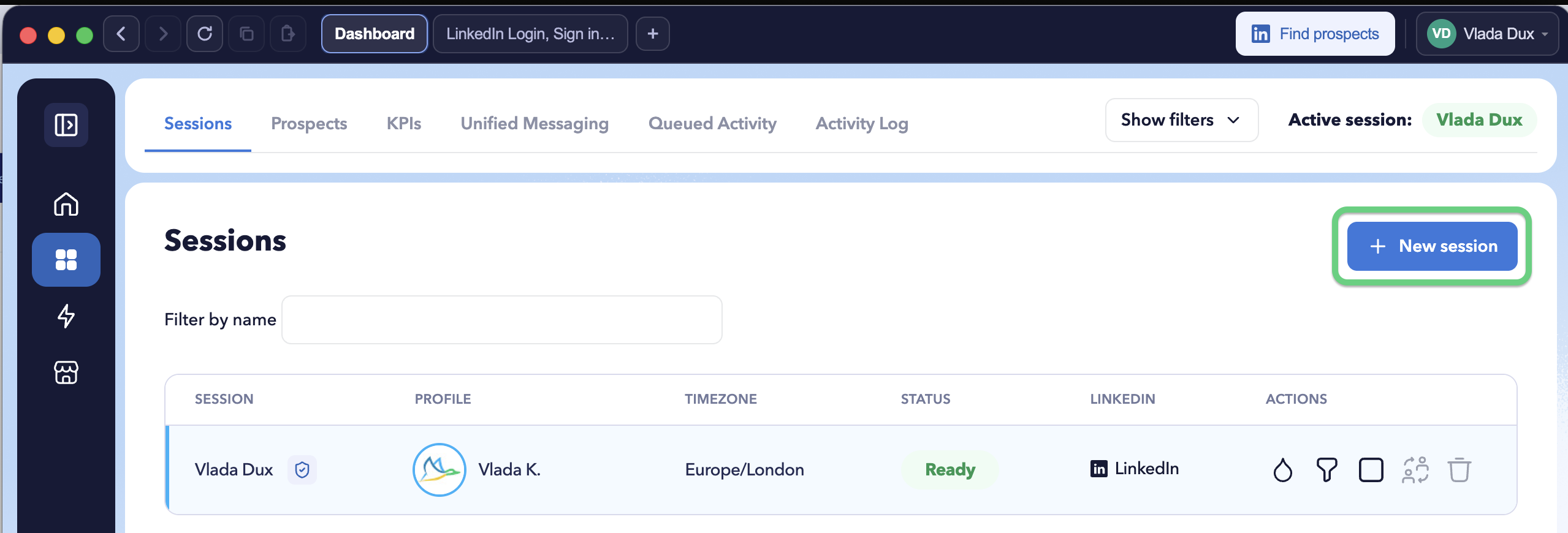
From your Agency dashboard, click + New session.
Then, copy the license key.
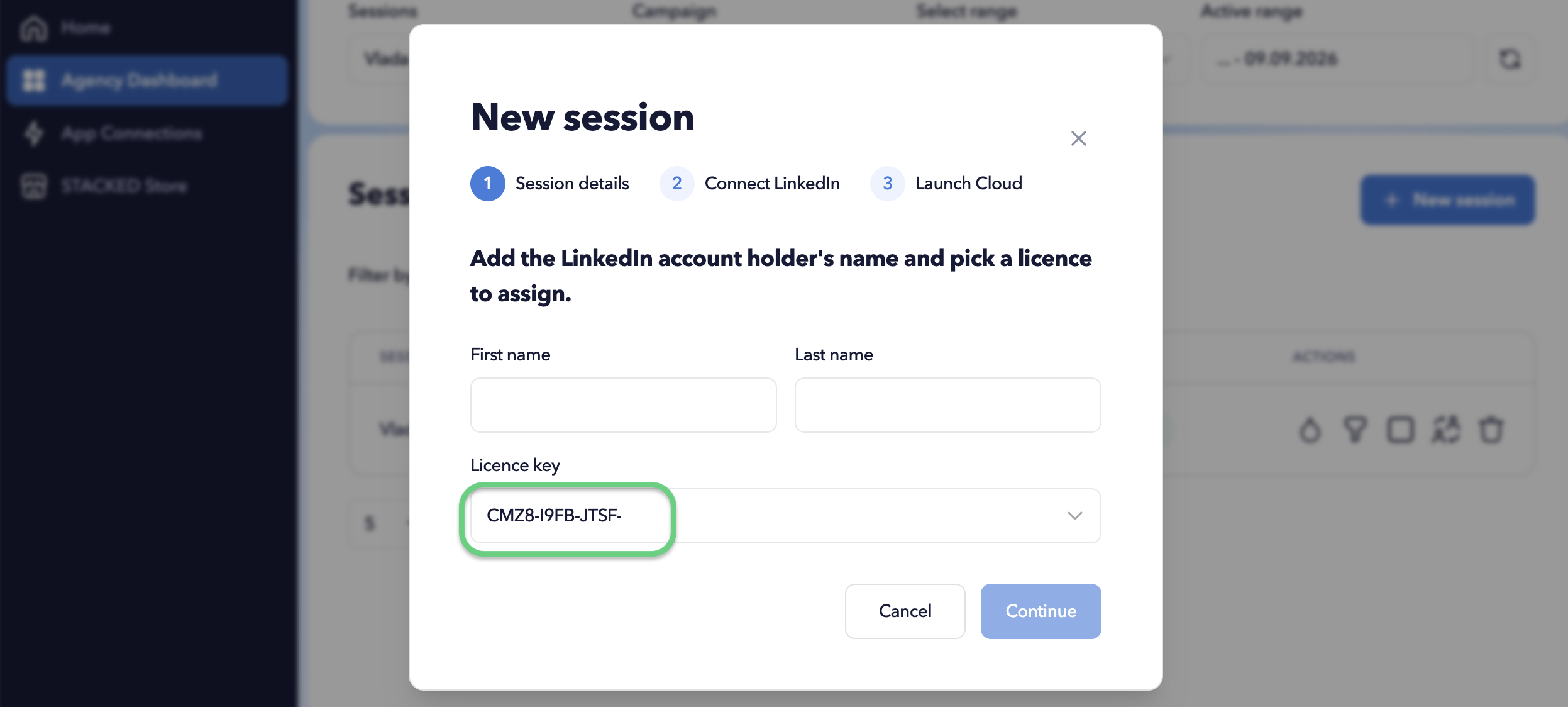
You do not need to complete the New session wizard.
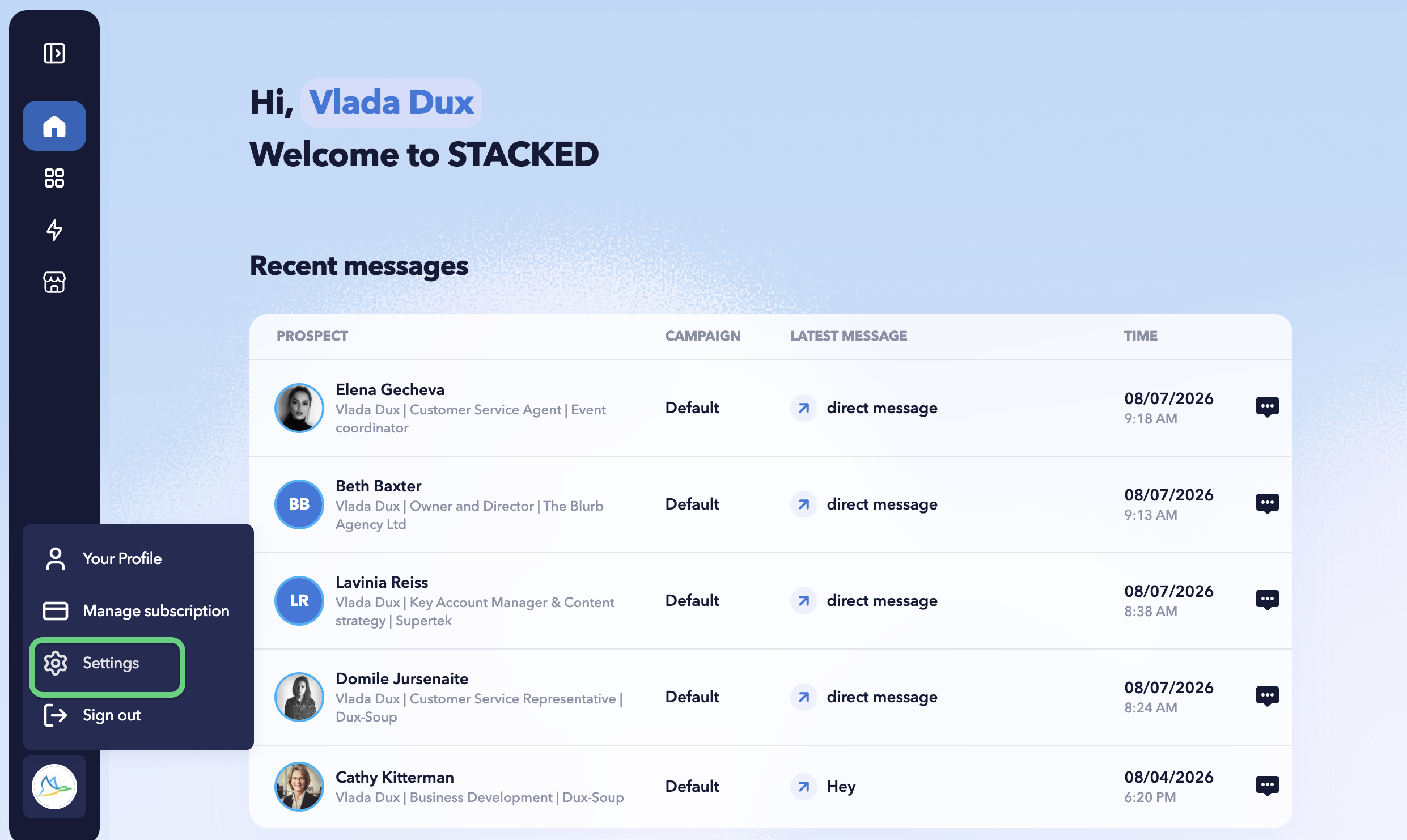
Next, click the STACKED profile icon in the bottom-left corner and select Settings.
Open the User tab and locate External License. Then, enter the licence key you previously copied.
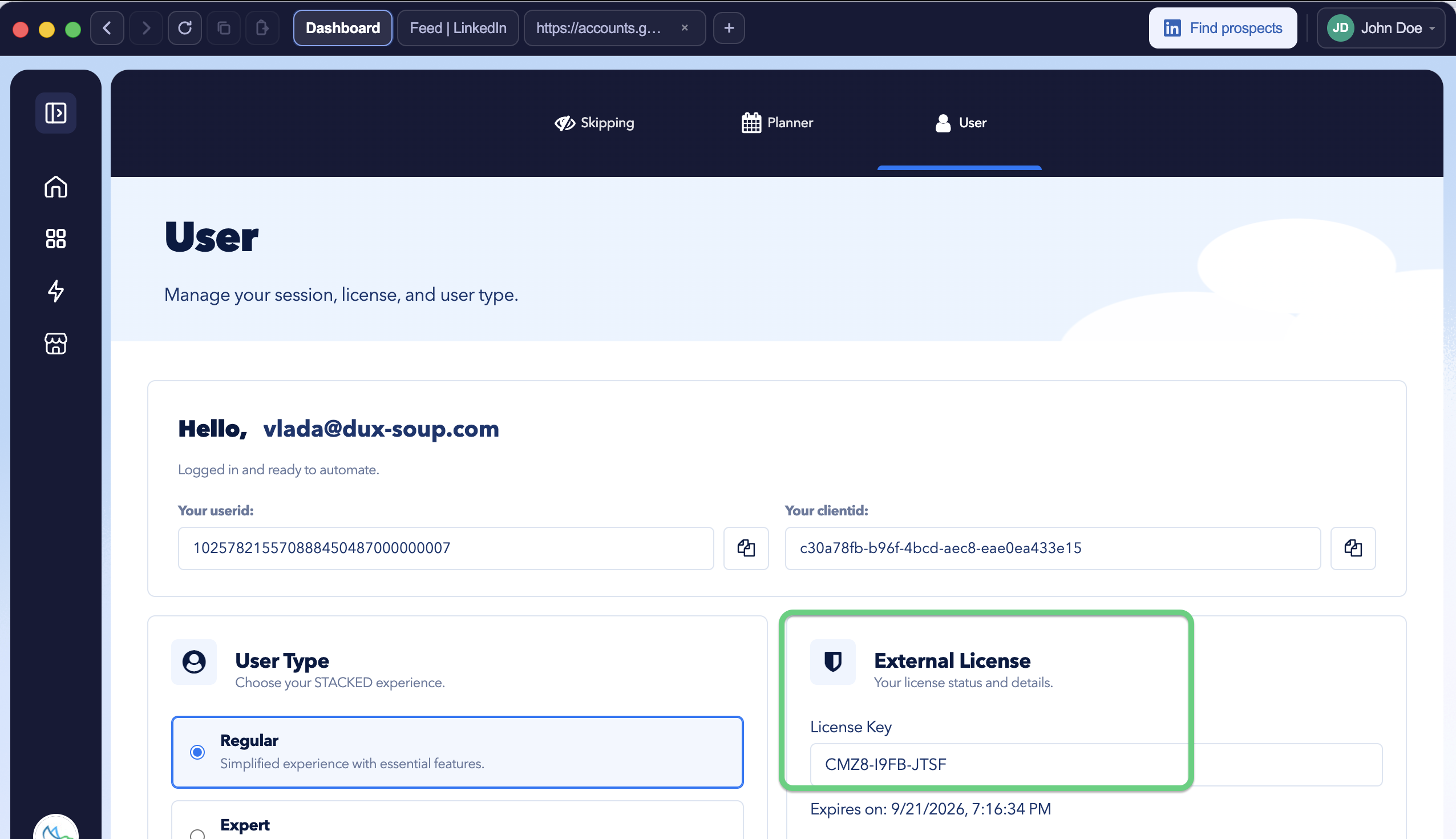
Once the licence is activated, you’ll regain access to your existing campaigns.
Don’t create a new session to restore your account
The + New session option is intended for creating a separate STACKED session, for example, when onboarding a new client.
Creating a new session for your own LinkedIn account will not restore your previous STACKED data. The new session starts with its own workspace and does not carry over the campaigns or data from your previous individual account.
Starting fresh instead
If you don’t need your previous STACKED campaigns or data and intentionally want to start with a new workspace, you can use + New session and connect your own LinkedIn account through the standard onboarding process.