
Claude integration
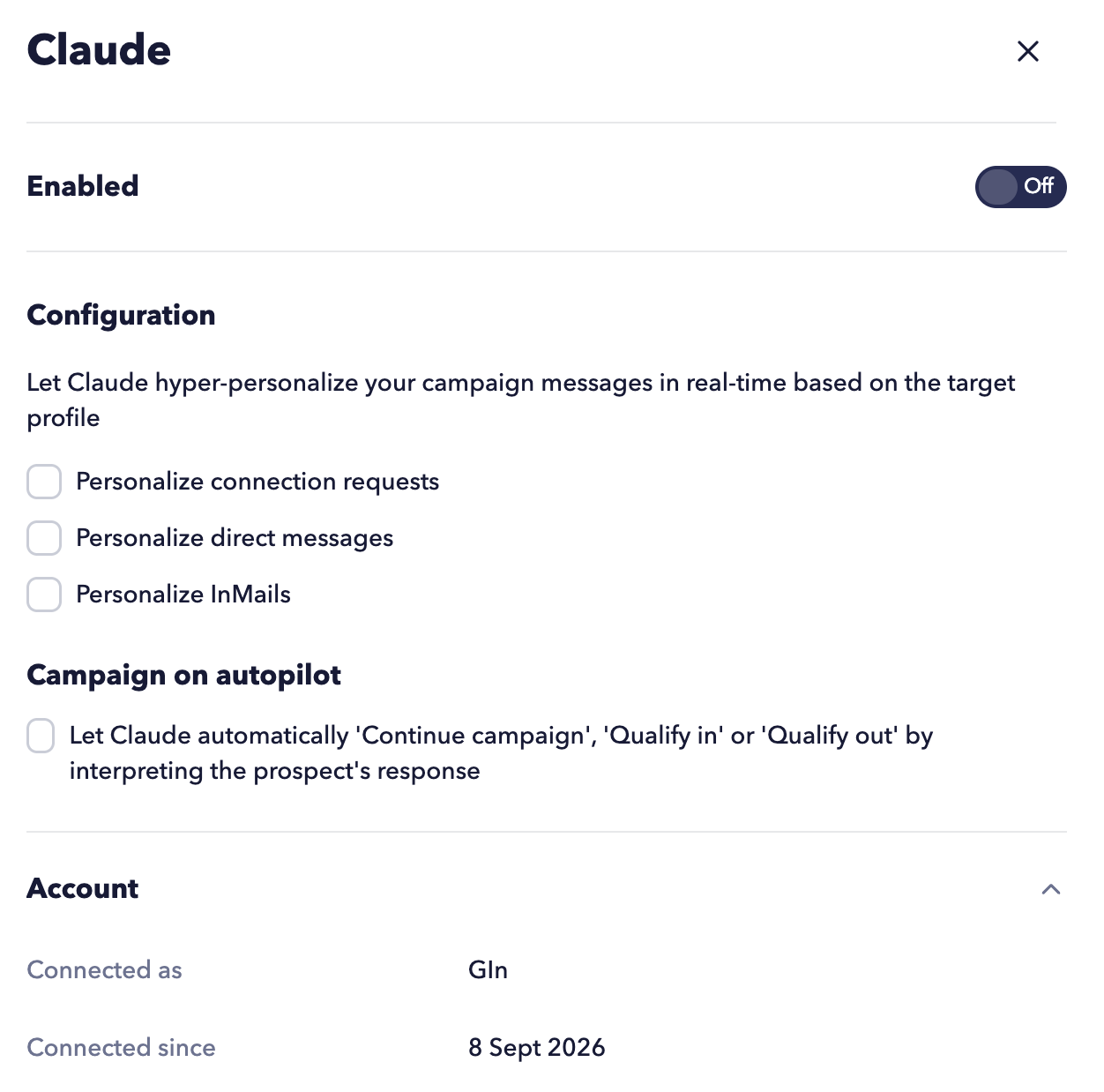
STACKED integrates directly with Claude to help you create more personalized LinkedIn outreach campaigns at scale.
Once the Claude connector is installed, STACKED can:
- Personalize connection requests
- Rewrite direct messages before sending
- Customize LinkedIn InMails
- Automatically continue campaigns based on replies
- Automatically qualify prospects in or out of campaigns
How it works
First, create your outreach sequence in the Drip Campaigns section of STACKED.
You should still write your original campaign templates with message placeholders exactly as you normally would. However, the templates can remain simple and do not require complex personalisation.
Enable the AI Powered setting and save your campaign.
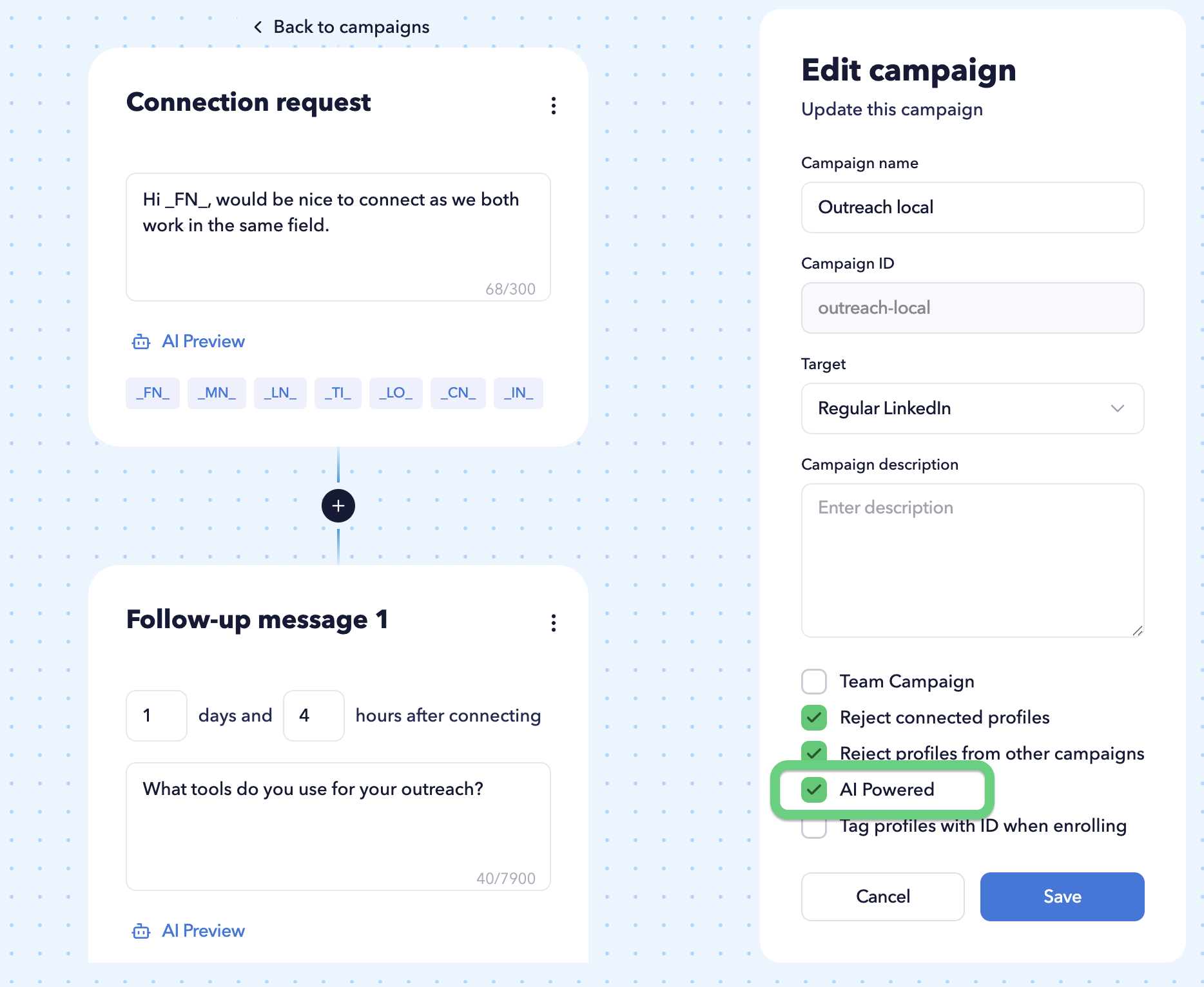
Your campaign templates remain the foundation of all messages. AI is used only to personalize tone and wording, though occasional inaccuracies may occur.
To personalize a specific action, you must enable the corresponding option in the Dashboard → App Connections.
For example, you may choose to personalize only direct messages while leaving connection requests unchanged.
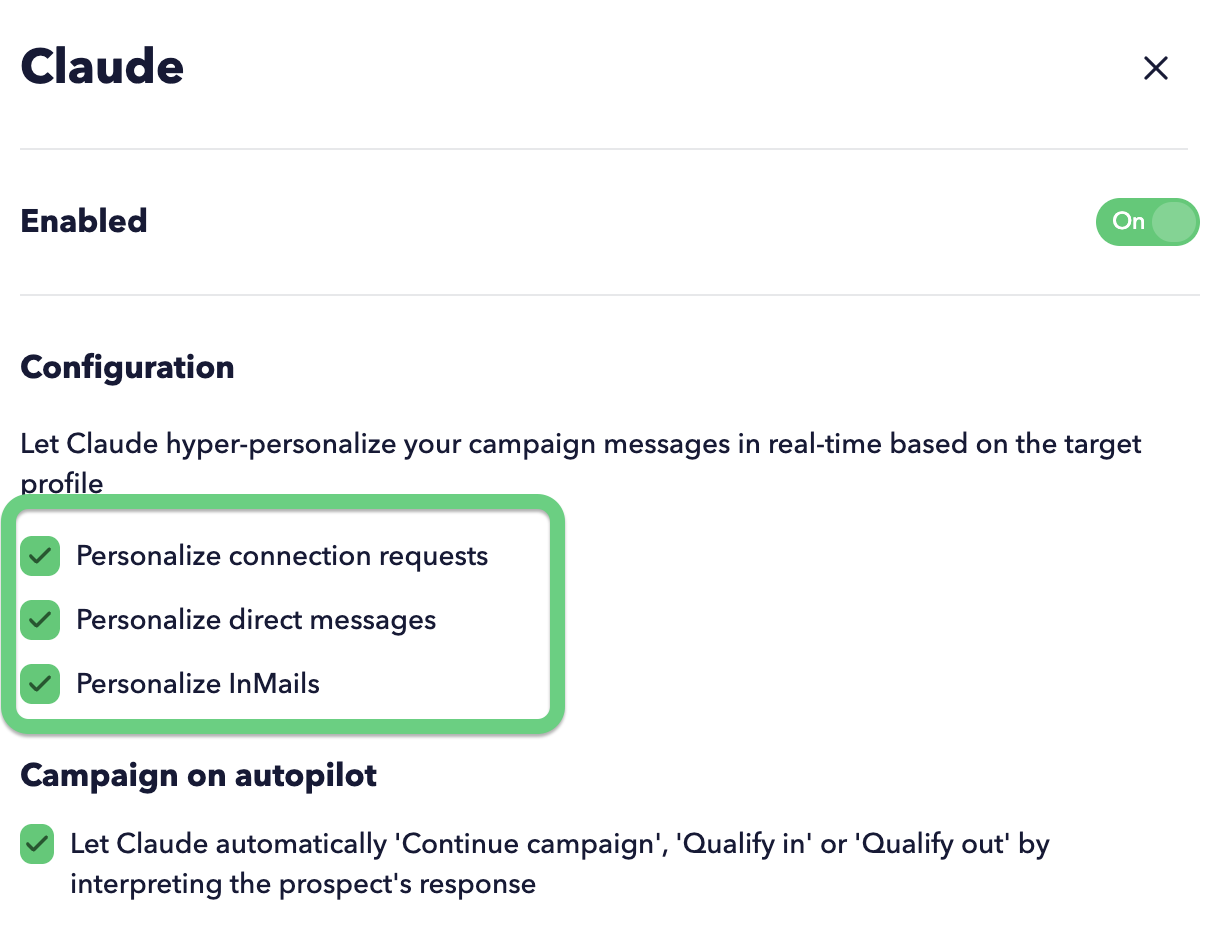
Before a message is sent, Claude analyses the template and rewrites it to make it more relevant, personalized, and natural based on profile information such as:
- First name
- Last name
- Job title
- Company
- Company website
- Location
- Industry
- Profile summary
Previewing AI-generated messages
You can preview how Claude will personalize your campaign messages before launching a campaign.
Click AI Preview, then click a profile to generate and preview a personalized message. STACKED will then send your campaign template to the configured AI model and display the personalized result.
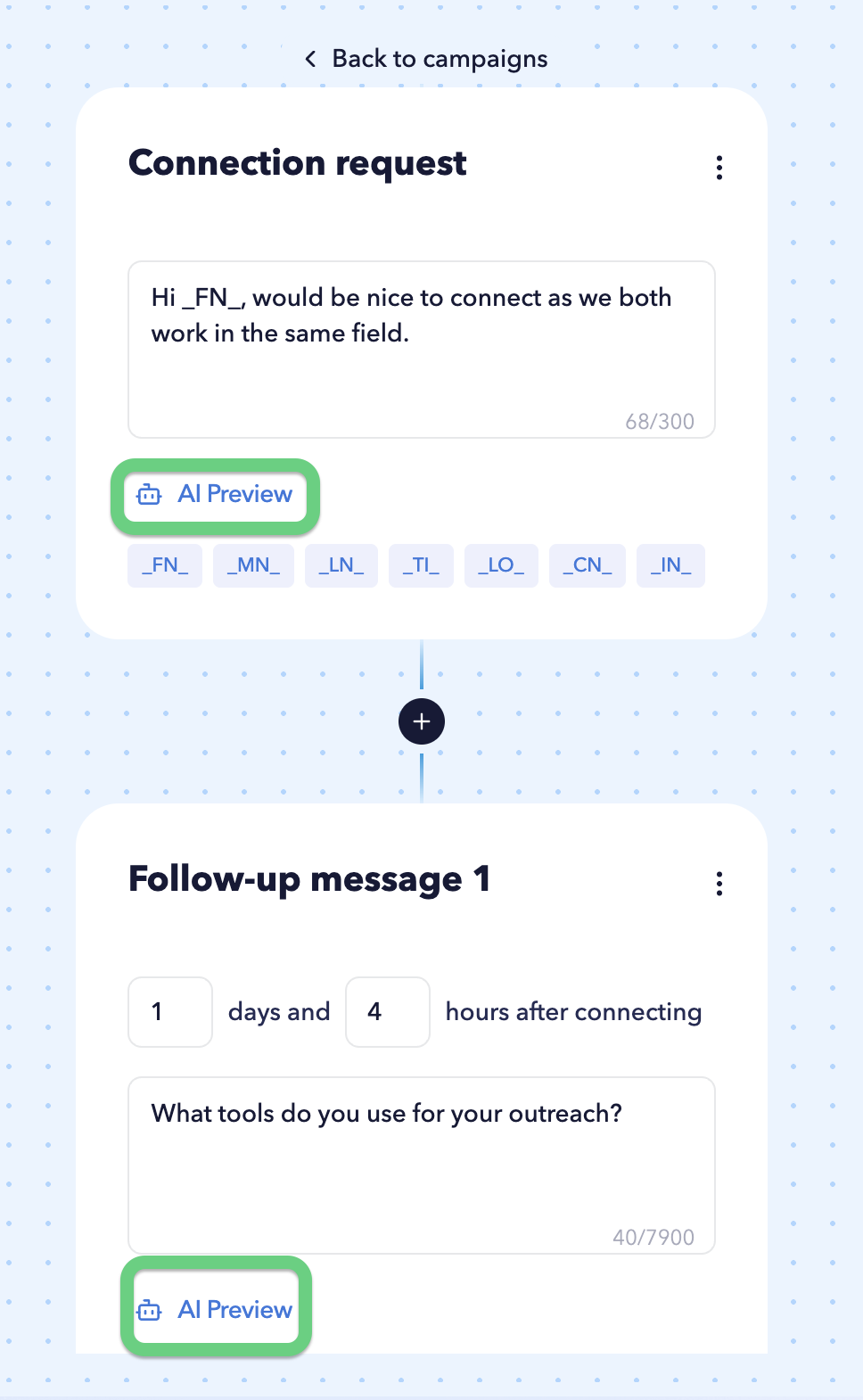
The profile selection list contains the five most recently viewed LinkedIn profiles. If no viewed profiles are available, STACKED will use sample profiles for testing purposes.
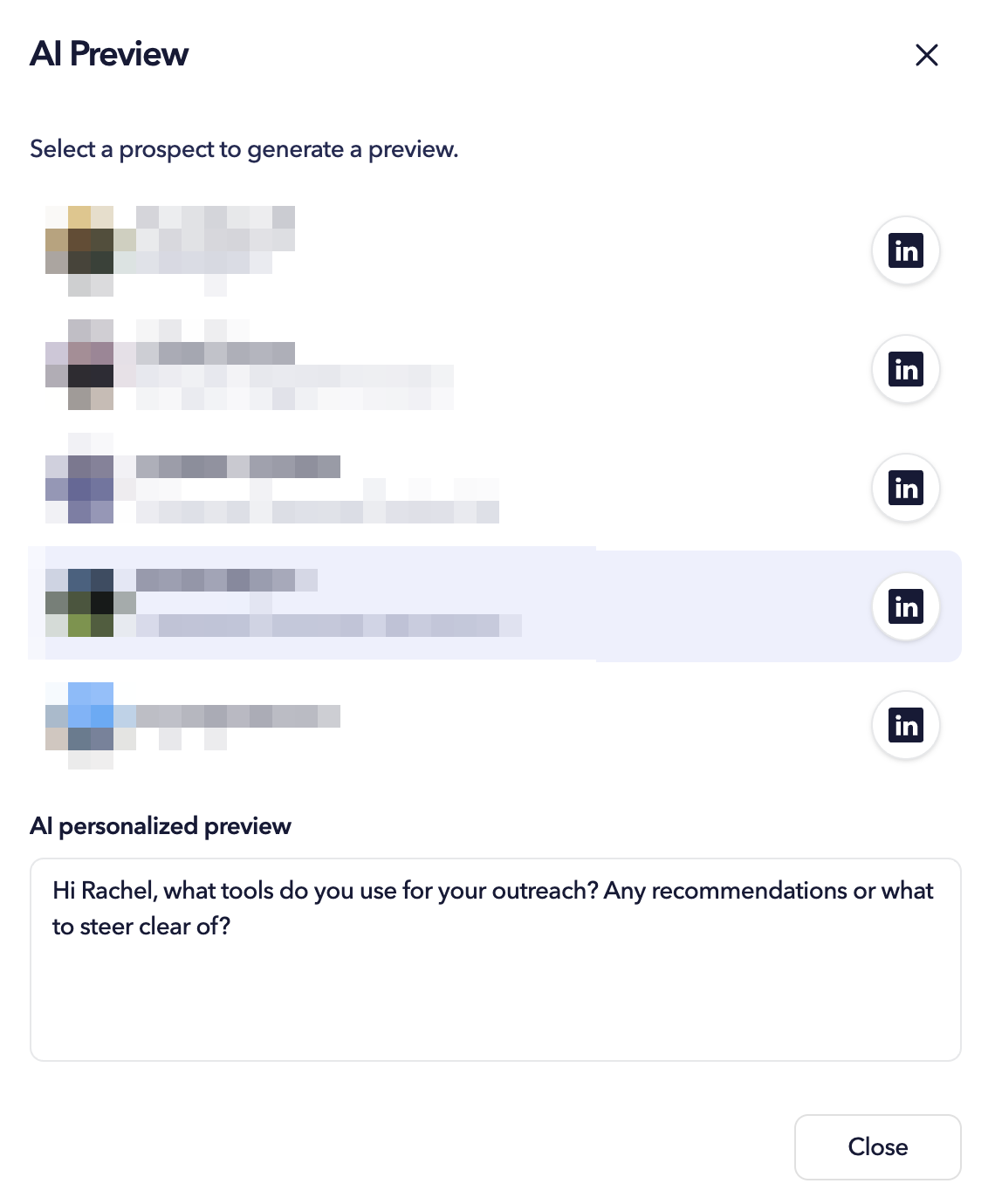
This allows you to verify how your templates are being rewritten before messages are sent to prospects.
Instructions you set in the Claude app (e.g. "no em dashes" rule) only apply to conversations inside Claude itself. Our AI previews are generated through the Claude API using your key, and the API doesn't receive your Claude app preferences. It only sees the instructions our platform sends.
AI-powered reply handling
When prospects respond, Claude will also analyze the conversation and help STACKED decide what happens next automatically.
Depending on the response, STACKED will automatically:
- Continue the drip campaign
- Qualify a lead and move them into the Qualified Funnel section
- Qualify a lead out of the campaign
For example, if a prospect responds with:
“Yes, this sounds interesting. Happy to learn more.”
STACKED can automatically mark the prospect as qualified.
If a reply is neutral or unclear, such as:
“Thank you.”
STACKED can continue the campaign and move the prospect to the next drip campaign action.
If someone replies:
“Not interested right now.”
STACKED can automatically qualify the prospect out of the campaign and stop further outreach.
This helps reduce manual campaign management while keeping interactions relevant and professional.
Please note that STACKED will stop the sequence once someone replies by default, without Claude integration.
If you have multiple AI integrations enabled (for example, multiple ChatGPT or Claude connections), STACKED will use a single AI model to process personalization and reply handling.
Important: If more than one AI model is enabled, STACKED will use the first available model it finds.