
How do I clear queued messages, follow-ups, and other actions?
The Queued Activity page shows LinkedIn actions that STACKED has scheduled but hasn’t processed yet.
If you need to stop upcoming messages, follow-ups, connection requests, or other actions, you can remove them individually or in bulk from the queue.
Remove actions from Queued Activity
Open Queued Activity in STACKED.
You can use the filters at the top of the page to narrow the list by:
- Campaign
- Prospect
- Action type
Select the actions you want to cancel. To select everything matching your current search and filters, click Select all actions for this search.
Then click Remove from queue.
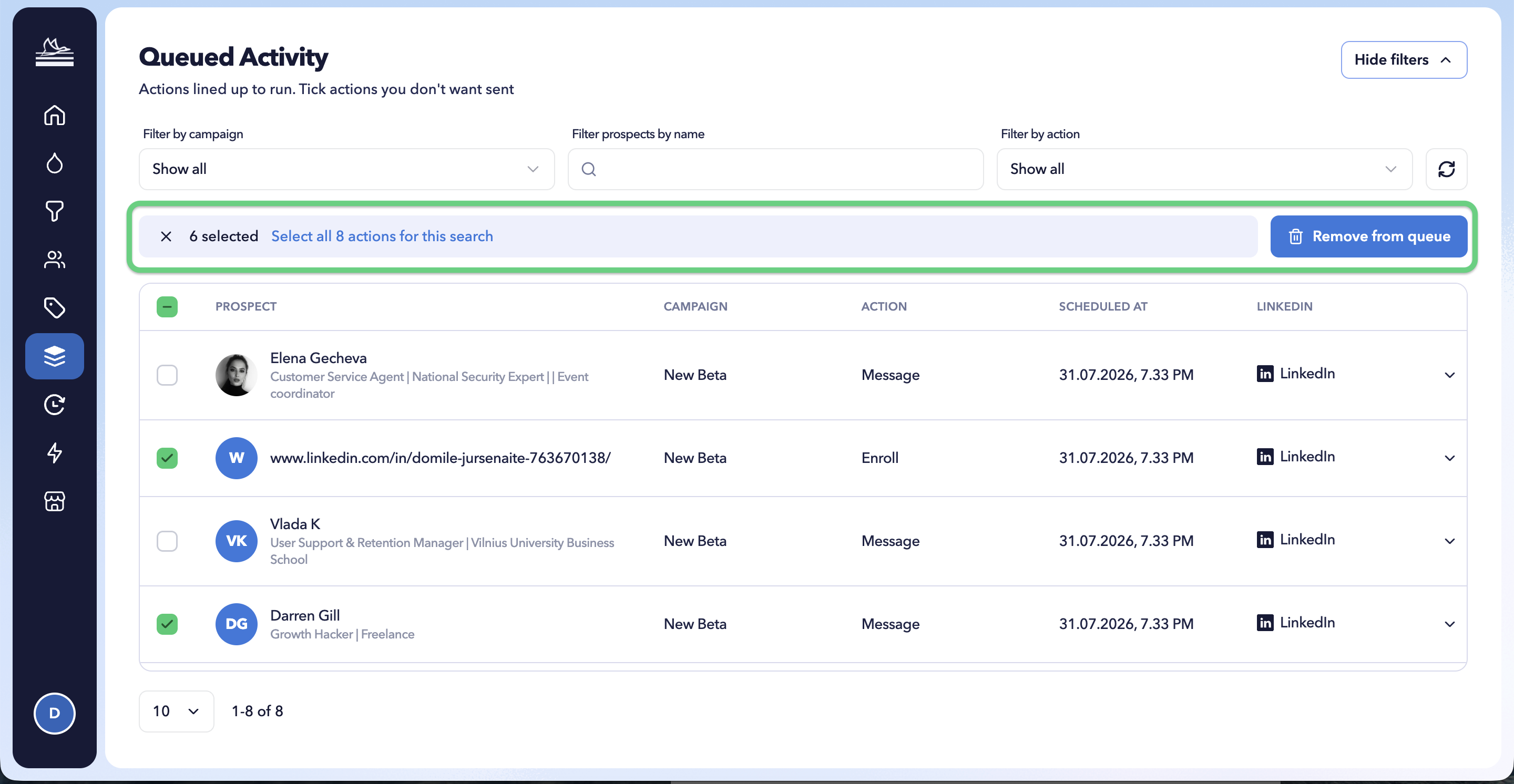
Once you remove campaign follow-ups from the queue, STACKED will stop the sequence and will not schedule any subsequent campaign actions for those prospects.
STACKED still retains the record that the prospect was enrolled in the campaign.
Remove from queue or Unenroll?
These options serve different purposes.
|
|
Remove from queue | Unenroll |
|---|---|---|
| Stops queued campaign actions | Yes | Yes |
| Keeps the record that the prospect was enrolled | Yes | No |
| Prospect can be treated as never enrolled | No | Yes |
| Best used when | You want to stop the sequence | You need to correct an enrolment mistake |
Use Remove from queue to stop a sequence
In most cases, use Remove from queue when you want to stop the remaining campaign activity for a prospect.
The prospect’s enrolment history is preserved, helping prevent them from accidentally being treated as a completely new enrolment later.
This is particularly useful when the prospect shouldn’t be enrolled in that campaign again.
Use Unenroll to correct an enrolment mistake
Unenroll removes the record of the prospect’s campaign enrolment.
This means the prospect can potentially be enrolled in that campaign again.
For that reason, we recommend using Unenroll primarily when you’ve just enrolled a prospect and realise there is a mistake - for example, you selected the wrong campaign or discovered a problem with the campaign sequence.
Avoid using Unenroll simply to stop a prospect midway through a campaign when preserving their enrolment history is important.
For instructions on unenrolling individual or multiple prospects, see the Bulk enroll, unenroll, visit and connect actions section.
What if I enrolled prospects into the wrong campaign?
If you’ve just made an enrolment mistake and want those prospects to run through a different campaign, you have a couple of options.
You can unenroll the affected prospects and then enrol them into the correct campaign.
Alternatively, if the existing campaign structure is useful but needs changes, you can clone the campaign, make your changes, and move the relevant prospects to the new campaign.
STACKED also lets you copy profiles from one campaign and paste their LinkedIn URLs into another: