
How to install the STACKED Dux-Soup package or Connector NX for Salesforce CRM
You'll need to install a Dux-Soup component to schedule STACKED actions directly from Salesforce CRM, such as updating contacts, messaging 1st-degree LinkedIn profiles, enrolling profiles in drip campaigns, and sending connection requests.
Salesforce Enterprise users can install the full package from the App Connections page in the STACKED Dashboard. This version supports both individual Contact actions and bulk actions on Contact lists. Other users can install a single-component version via this link, which supports only actions on individual Contacts.
If you’re using the Enterprise Edition, follow steps 1–5. All other users, please start from step 3.
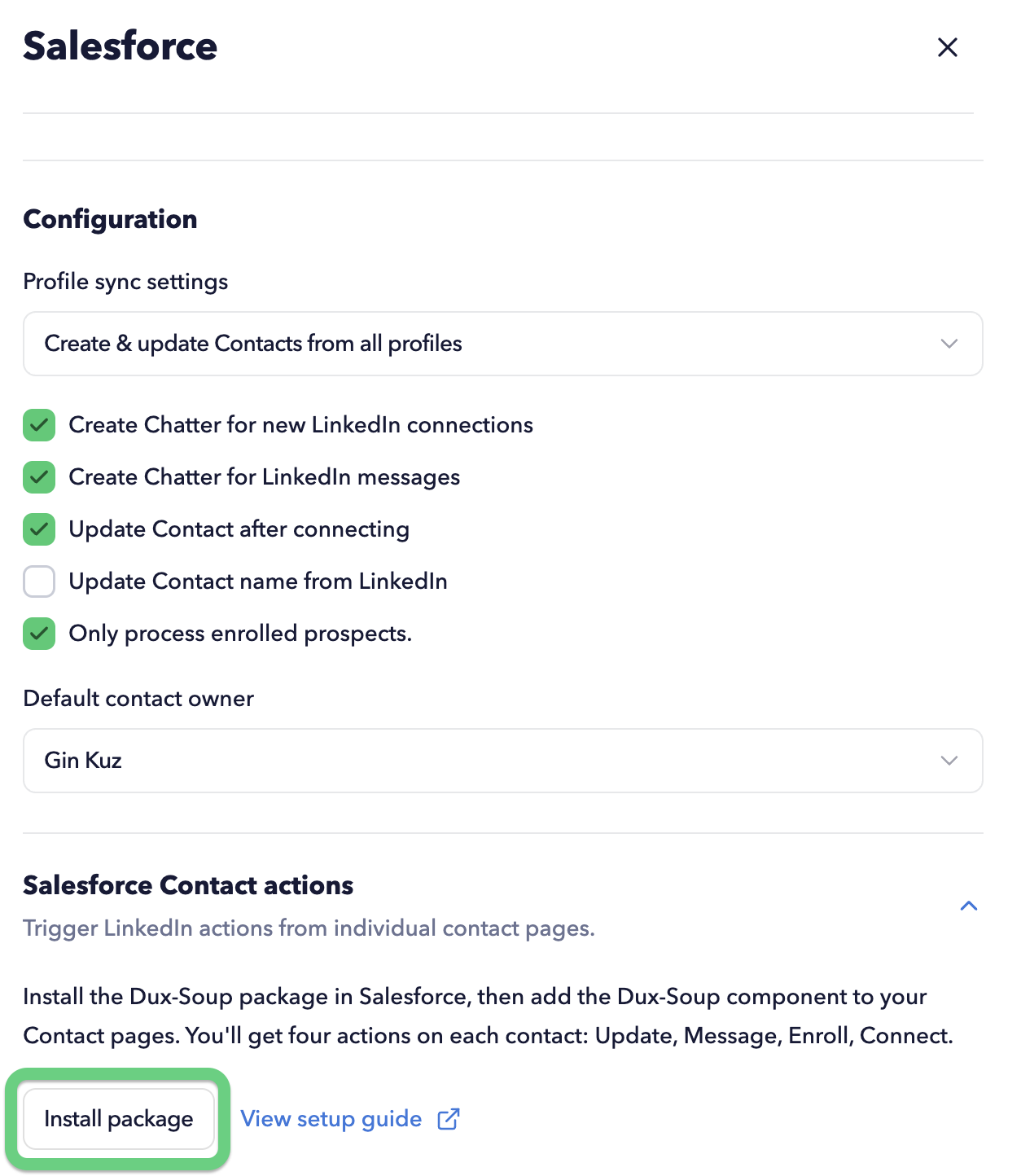
- Go to the App Connections page on your STACKED app, select the Salesforce Connector, and click on the 'Install Package' button:
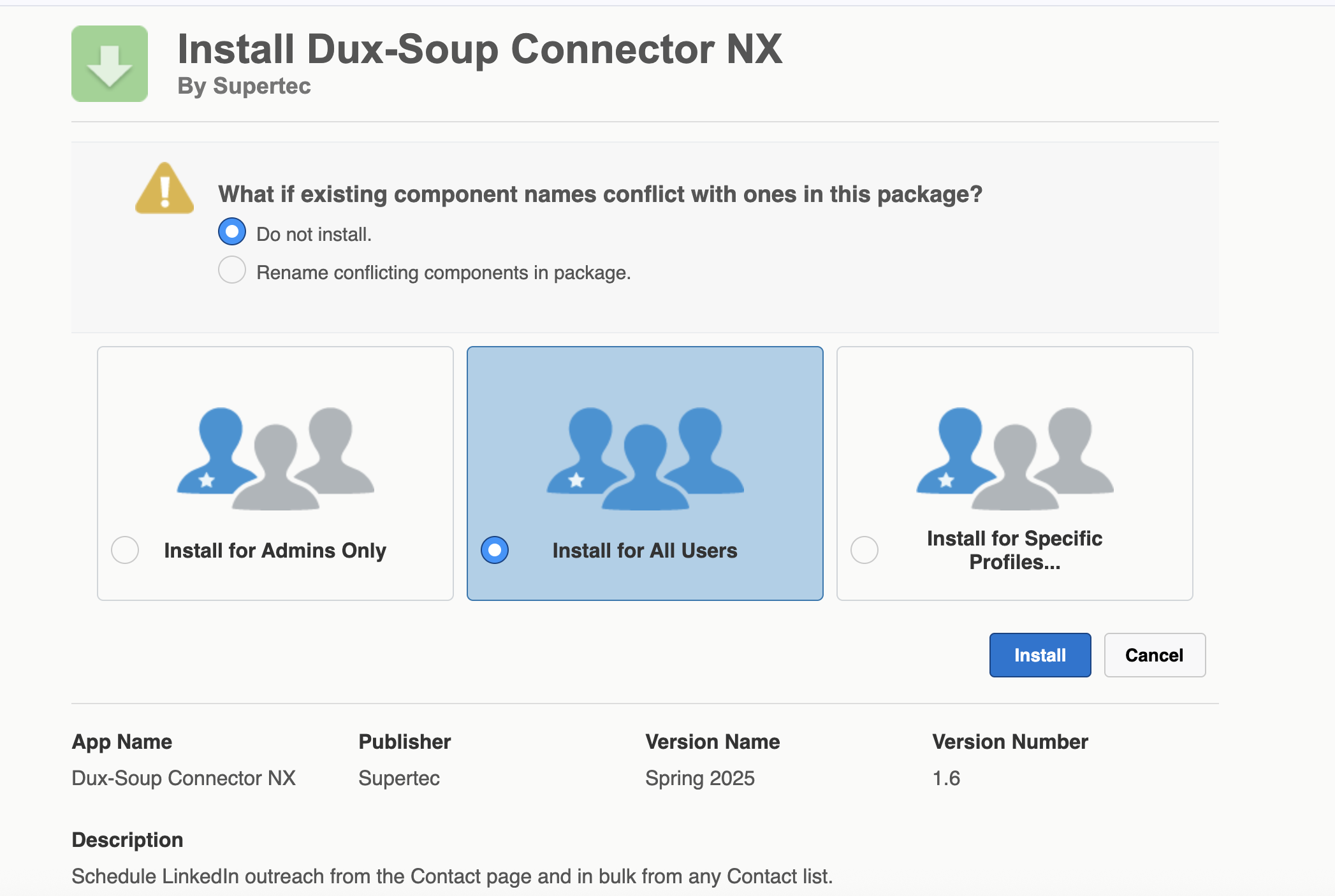
- Choose whether to install it for CRM admins only, all users, or specific users.
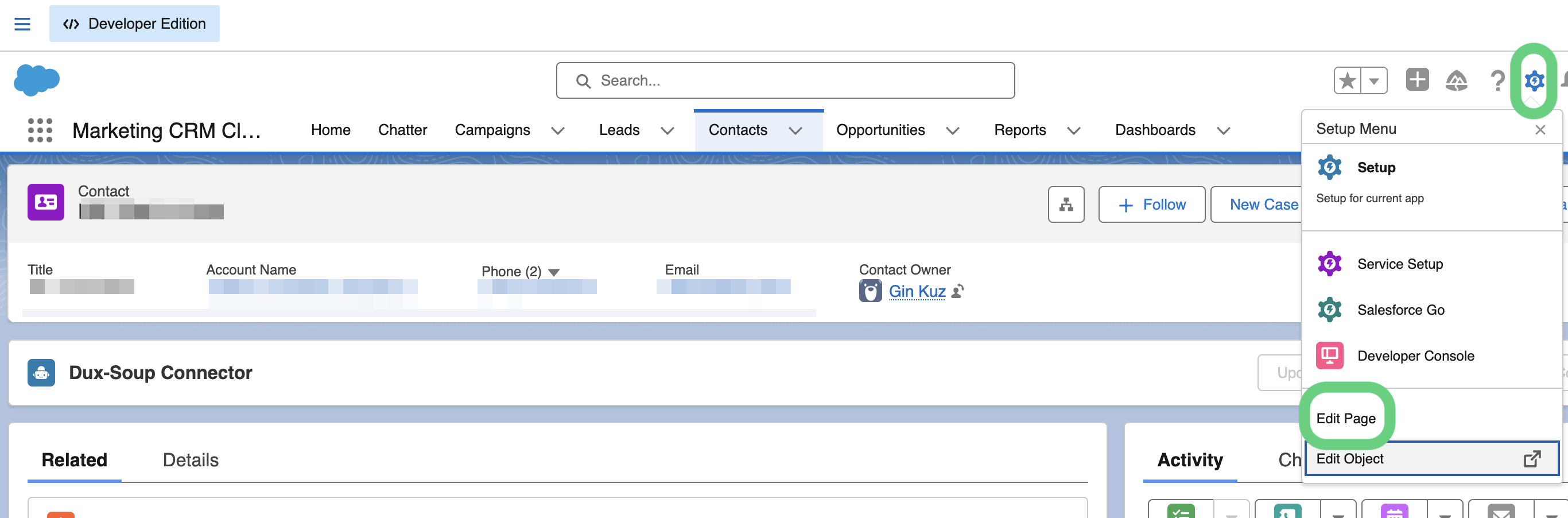
- Once installed, you can go to your Salesforce Contacts page and open any contact. Then, click on the Setup Menu gear icon and click the 'Edit Page' button:
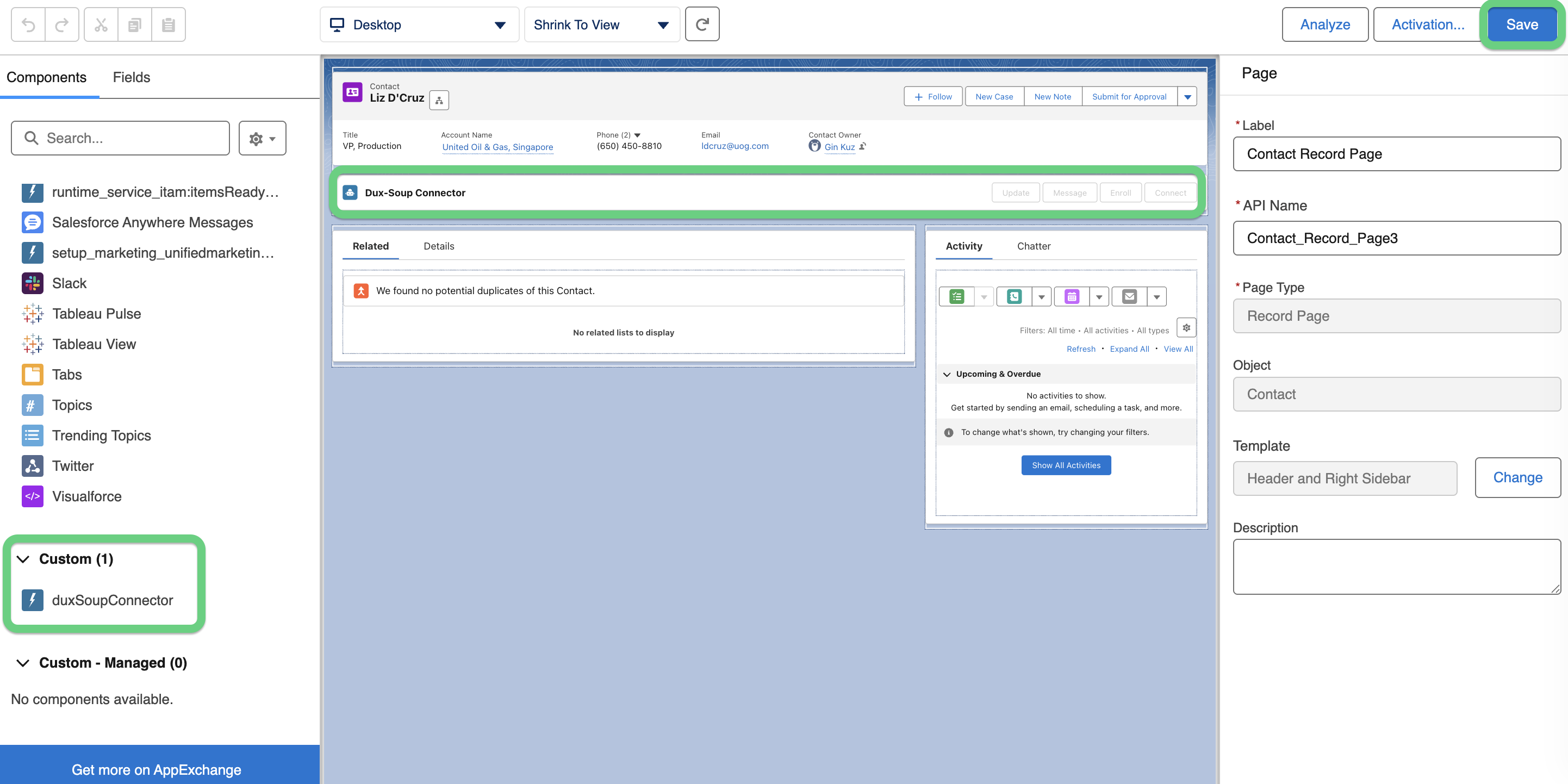
- Scroll down the menu on the left side and select the 'duxSoupConnectorNX' custom element. Then, drag it to the Contact page layout in the centre and save the changes. Non-Enterprise users should select the 'duxSoupConnector' element instead.
- Refresh the Contact page, and you should now see STACKED actions available directly within the Contact record. These actions can be initiated by anyone who has access to the contact.

Enterprise Edition users can also enable bulk STACKED actions on a Contact list.
You can access Salesforce CRM integration if you have a paid STACKED account.